

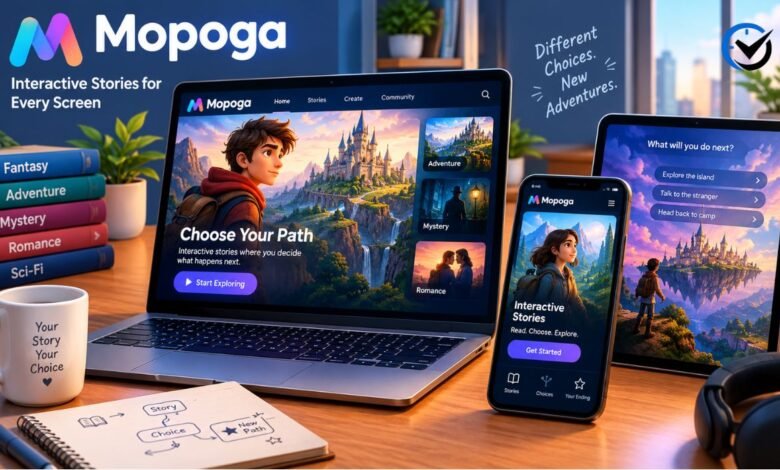
Mopoga brings interactive storytelling into the browser, where readers move through scenes and influence what happens next. The storytelling portal discussed here is adult-oriented, an important part of its identity that broad descriptions of online gaming sometimes leave unclear. Its browser format helps explain how the same kind of experience can reach phones and computers without a conventional app installation. However, access across devices does not automatically mean identical layouts, synchronized progress, or uninterrupted performance. Understanding the tools behind these stories, the role of their developers, and the way browsers handle saved data gives readers a more useful picture of how the platform works.
What the Platform Is and Where It Began
The platform says it launched in 2020, with a name formed from shortened parts of mobile, porn, and games. That origin explains its adult focus and early attention to phone users. Its background information also describes support for computers and other devices, reflecting a broader approach than its name alone suggests. It presents games from developers whose projects may continue evolving after publication. This makes it useful to distinguish the hosting website from the individual creators responsible for stories and game systems. A portal can organize access and adapt presentation, while the depth, pacing, and completeness of a particular narrative depend on its developer.
Why Similar Names Need Different Expectations
Several websites use the Mopoga name, and their descriptions do not all point to the same kind of content. Alongside the adult storytelling portal, similarly named sites promote casual browser games across categories such as puzzles, action, and sports. Those differences should be explained without assuming common ownership or identical services. A familiar name does not establish that two websites share their operators, policies, or game collections. Readers need to consider the identity and stated purpose of the particular website being discussed. Otherwise, information about casual games can create misleading expectations about a portal whose central identity includes adult entertainment and interactive fiction.
How Twine Makes Browser Stories Possible
The adult portal identifies Twine as the tool behind most of its featured games. Twine is an open-source system for creating interactive, nonlinear stories, and it publishes work as HTML. This gives developers a format that browsers can display without a separate game application. Basic projects can connect passages of writing through clickable choices, while more elaborate ones add images, styling, variables, and JavaScript. The result can resemble a readable story while still keeping track of decisions and changing later scenes. Different story formats offer different features, so shared use of Twine does not mean every title has the same interface or save system.
What Happens When a Reader Makes a Choice
Interactive fiction works by giving the reader some control over how a narrative unfolds. As a simple example, a fictional character might investigate a strange sound or continue toward a destination. One option could reveal information that changes a later conversation; another could preserve time but leave the character uninformed. Behind that experience, a story may remember earlier decisions through stored values. Not every choice creates an entirely separate plot, and different routes may return to shared scenes. The quality of the experience therefore depends on how clearly decisions connect to consequences, rather than simply on how many buttons appear beneath a passage of text.
Why Mobile Screens Suit This Kind of Storytelling
Reading passages and selecting options can fit a phone naturally because these actions do not inherently require a keyboard or rapid button combinations. The platform says it adapts many games for mobile use and emphasizes portrait presentation, with the phone held upright, while acknowledging that some text or controls may require landscape orientation, with the phone held sideways. Good mobile design still involves more than making a page narrower. Text needs comfortable sizing, choices need enough separation for touch input, and important controls must remain visible. Images and complex panels can make those goals harder to achieve. A story that technically opens on a phone may therefore feel different from one designed carefully around a small screen.
What Changes on a Desktop Computer
A desktop browser gives a story more room for text, illustrations, menus, and character information. Mouse input can also make closely spaced controls easier to select than they would be on a small touchscreen. These are practical advantages of a larger display, rather than evidence that the underlying narrative becomes more advanced. The same authored choices can remain available across both formats, provided the game supports them. Desktop presentation also introduces its own design questions, including line length and how menus use empty space. A comfortable reading layout matters on a large monitor just as much as it does on a phone, particularly during longer sessions.
How Browser Storage Handles Progress
Saved progress is a separate issue from whether a game can run on multiple devices. The portal’s help information identifies localStorage as a mechanism used for saves. This browser storage can retain data between normal browsing sessions, but it is tied to the browser profile and website that created it. Opening a story elsewhere does not establish access to the original data. It helps to think of a save as a record of the story’s current state, rather than part of the public game page. The page may remain available while that personal record disappears. A storage policy, browser change, or removal of site data can affect whether progress remains accessible.
Why New Chapters Can Affect Older Saves
An update can add dialogue, introduce characters, change conditions, or repair mistakes in a developing story. Those changes sometimes affect the information an older save contains. For example, a developer might introduce a new value that did not exist when the previous version recorded progress. A game can include a way to update old data, but that requires deliberate support from its creator. The portal acknowledges that some updates make earlier saves unusable and that the available remedies vary. Consequently, a new chapter and a compatible continuation are different promises. Keeping a record of the game version helps readers understand compatibility notices and distinguish an update problem from missing browser data.
How Community Feedback Supports Updates
The platform describes reader requests and comments as important sources of information about games and newly released versions. This gives community participation a practical role beyond discussing characters or plot. A report can alert the website to a developer’s release, while a clear description of a problem can help identify where an experience fails. Useful feedback separates a broken control from an unfinished scene or a save compatibility problem. It also records the device, browser, and version involved. Such detail makes a report easier to assess. Community activity can support maintenance, but it does not establish a fixed release timetable or guarantee that every reported issue will be resolved.
Where Convenience Meets Practical Limits
Browser delivery reduces the need for a separate installation, but game pages still load code and other content onto a device. Large media files, connection problems, and browser settings can affect the experience. Likewise, readable text does not automatically guarantee accessibility: clear navigation, meaningful labels, and support for different input methods remain design responsibilities. Privacy also deserves careful wording. Local saves explain where some progress data resides, but they do not prove that a website collects no other information. The adult nature of the portal makes accurate content descriptions especially important. Claims about universal compatibility, complete anonymity, or guaranteed security need evidence beyond the convenience of opening a game in a browser.
Final Thoughts
Mopoga illustrates how browser publishing can bring interactive narratives to different devices through a familiar reading interface. Twine provides one important foundation, while developers supply the writing, choices, and systems that give each story its character. The hosting portal adds organization and a place for feedback, but readers still encounter differences in layout, development status, and save behavior. A fair understanding therefore combines the appeal of flexible access with the realities of browser storage and independently evolving projects. Clear identification of the adult storytelling website also prevents confusion with similarly named casual gaming services and makes discussions of the platform more accurate.
Frequently Asked Questions
1. What is Mopoga?
It is the name used by an adult-oriented gaming portal that features browser-based interactive stories. Other websites use the same name for different gaming offerings. A useful description should therefore identify which service it concerns, rather than treating every website with matching branding as one platform or one shared collection.
2. Is the storytelling portal suitable for children?
Its adult entertainment focus makes it unsuitable as a children’s gaming resource. The presence of readable stories, familiar browser controls, or mobile support does not change that classification. Similarly named casual gaming websites require their own assessment; their content should not be assumed to match the adult portal’s collection.
3. What does Twine contribute to an interactive story?
Twine lets creators organize passages and connect them through choices, then publish the result as HTML. It can also support variables and other features that make earlier decisions matter later. It provides the authoring framework, while the creator determines the writing, structure, presentation, and behavior of the finished project.
4. Are interactive stories the same as visual novels?
The categories can overlap, but they describe different aspects of a work. Interactive fiction emphasizes participation in a narrative, while a visual novel usually combines substantial reading with illustrated presentation. A browser story may rely mainly on text or include extensive artwork. Its actual format matters more than a broad category label.
5. Does playing in a browser mean a game uses cloud streaming?
No. A browser can run downloaded game code directly on a user’s device. Cloud streaming instead runs a game remotely and sends its audiovisual output to the user. Those delivery methods should be distinguished. Browser availability alone does not reveal which technology a particular website uses or establish that remote streaming is involved.
6. Why can a game look different on a phone and computer?
Screen size, available space, and input methods influence how a page is presented and used. A menu that fits comfortably beside desktop text may need a different position on a phone. The story can remain the same while its layout changes. Good adaptation preserves readable passages and usable choices across supported devices.
7. Can browser saves move automatically between devices?
Local browser storage does not itself provide automatic synchronization. A separate transfer or cloud save feature would be needed to continue elsewhere with the same progress. Some games support exported save files, but that is a game-specific capability. Sharing access to the same story page is different from sharing its saved state.
8. Does closing a browser always erase saved progress?
Normal localStorage data can survive closing and reopening a browser. Private browsing, cleared site data, and settings that prevent persistent storage can change that outcome. There is also a distinction between saving a game deliberately and merely leaving its page open. The game’s implementation determines what progress it records and when.
9. Why might an older save fail after an update?
The updated story may expect information that the previous save does not contain, or it may organize that information differently. Developers sometimes provide compatibility fixes or other ways to continue. These options vary by project. An unusable save therefore does not automatically mean the file vanished or the browser deleted its data.
10. How can readers tell whether a story is finished?
A release number or recent update date does not establish that a narrative has a complete ending. Completion needs an explicit description from the creator or clear information about the project’s status. An ongoing story may have playable chapters while later routes remain unwritten. Development activity and narrative completeness are separate qualities.
Recommended: What Was Eidesk Media? RSS Feeds, Automated News, and Website Management





One Comment