

Many people open Instagram just to look around. Maybe you want to check out a business before following it, see what an old classmate has been up to, or research a brand without being noticed. It is natural to wonder how visible your activity really is. Interest in Instagram anonymous browsing has grown for exactly this reason, and it has brought a lot of confusion along with a few risky shortcuts. This guide explains what is truly possible in 2026, what is only a myth, and how you can protect your privacy while you scroll.
Understanding What Instagram Anonymous Browsing Means
Browsing anonymously on Instagram does not mean becoming invisible to the platform. Instagram always knows which account is logged in, what you tap on, and how long you stay. What people usually mean is something simpler: looking at a profile, a post, or a story without the other person knowing it was you. That distinction matters, because it shapes which methods are realistic. You cannot hide from Instagram itself, but you can often stay out of sight of other users, and in many cases the app already helps you do that by design.
Does Instagram Tell People Who Viewed Their Profile?
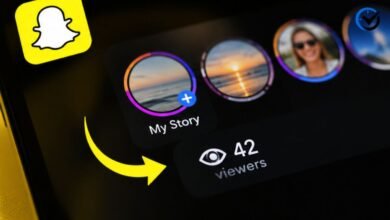
For regular posts and profile visits, the answer is no. Instagram does not send a notification or show a list of people who opened a profile, looked at the grid, or read a bio. Someone can see who liked or commented, and they can see who followed them, but a quiet visit leaves no public mark. Stories and live videos are the exceptions, since the creator can see the list of accounts that watched them. Reels also show plays, though usually only as a total number. So a simple profile visit is already fairly private, and many worries come from mixing these features together.
Practical Ways to View Public Profiles Privately
Browse Without Logging In
The simplest method is to look at public profiles while logged out. Open a web browser, go to the profile page of a public account, and you can usually see the bio and some recent posts without signing in. Because no account is attached to the visit, there is nothing to connect back to you. The limits are real, though. Instagram often shows a login prompt after a few scrolls, and some content is hidden entirely. Still, for a quick look at a business or a public figure, this approach works well and needs no extra tools.
Use a Separate Account for Research
Another practical choice is a second account made for browsing only. Many marketers, journalists, and small business owners do this so their personal profile stays out of their research. Pick a neutral username, skip the personal photo, and avoid syncing contacts, since contact syncing can suggest your new account to people you know. Keep in mind that this account is not hidden from the person you look at if you follow them or interact with their posts. Used carefully and only for public content, it is a sensible way to separate work habits from personal life.
Watch Stories Without Standing Out
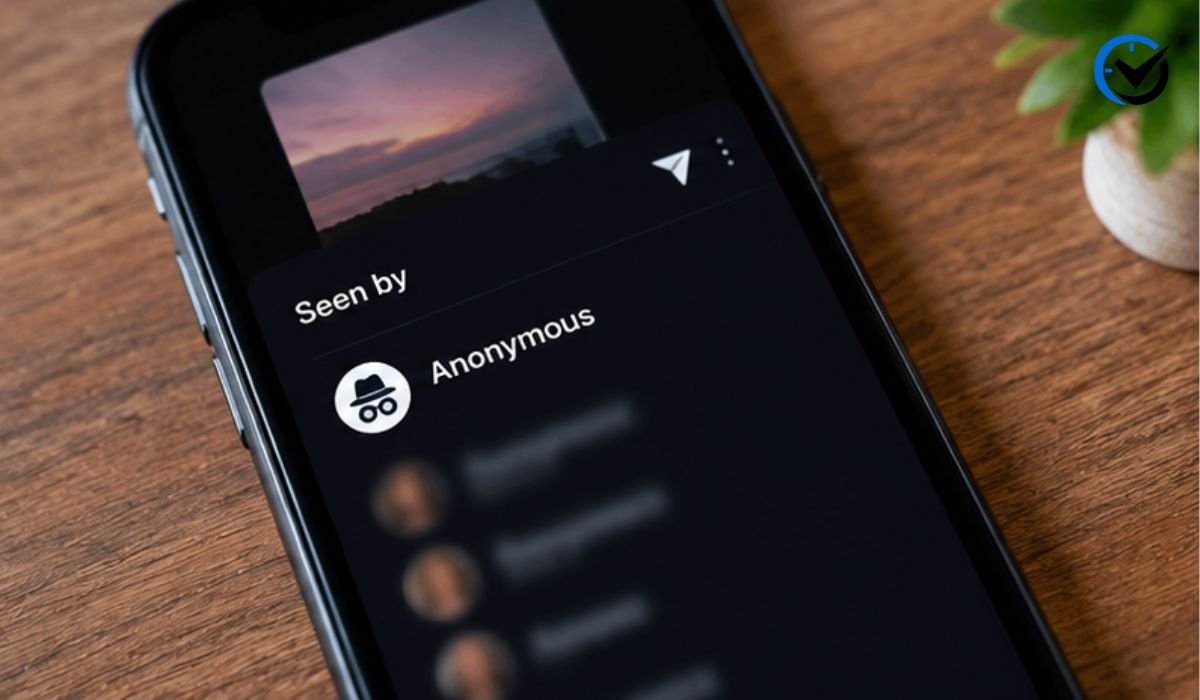
Stories are the hardest part, because the creator sees a viewer list. There is no built-in switch to turn that off. Some people try loading a story, switching on airplane mode, and then watching it, but results vary and the view can still be recorded once the phone reconnects. A more dependable habit is simply choosing what to open. If you do not want to appear in a list, skip the story. Instagram also lets you mute a person’s stories, which keeps them from crowding your feed without any visible signal to them.
Be Careful With Third-Party Viewer Tools
Search results are full of websites and apps that promise anonymous story viewing. Treat them with caution. Many ask for your login details, push surveys, or install unwanted software, and using them can put your account at risk of being locked or hacked. They also break Instagram’s rules, since the platform does not approve outside services that access accounts this way. Some tools only show public content you could open yourself, which makes them unnecessary. Others claim to unlock private profiles, which is not possible and is often a scam. Protecting your password is worth more than any anonymous view.
Respecting Private Accounts and Protecting Your Own Privacy
What Cannot Be Viewed
Private accounts are the clearest boundary. If the owner has limited content to approved followers, the only honest way to see it is to send a follow request and wait for approval. Anything that claims otherwise is either misleading or unsafe. Wanting to browse quietly is normal, and most people do not want an ex, a boss, or a stranger to know every profile they check. But another person’s choice to stay private deserves the same respect you would want for yourself. Public content is fair to view, and private content is not yours to chase.
Lock Down Your Own Profile
If your real goal is to keep your own activity quiet, start with your account settings. Switching to a private account means only approved followers can see your posts, and it also limits who can find your stories. Review your follower list from time to time and remove anyone you do not recognize. You can also restrict or block people who make you uncomfortable, and blocked users can no longer find your profile from their account. These steps take only a few minutes, and they give you more control than any outside tool ever could.
Adjust Activity and Story Settings
Beyond privacy toggles, a few smaller settings matter. You can hide your activity status so others do not see when you were last online, and you can turn off read receipts in some messaging settings. For stories, you can hide them from specific people, while Close Friends narrows each story to a chosen list. Tagging and mention controls also decide who can add you to posts. Together these tools shape how visible you are, and checking them every few months keeps your setup current as Instagram changes its features.
Final Thoughts
Instagram anonymous browsing is really about smart habits, not secret tricks. Profile visits are already quiet, public pages can be viewed while logged out, and a separate account keeps research away from your personal life. Stories remain visible to their creators, and no safe tool changes that. Private accounts stay private, and viewer websites that promise otherwise put your data at risk. If you take one thing away, let it be this: use the settings you already have, respect other people’s limits, and protect your login. That approach keeps you private without cost or worry.
Frequently Asked Questions
1. Is it possible to use Instagram anonymously?
Yes, in a limited way. You can view public profiles without logging in, and regular profile visits do not notify anyone. What you cannot do is hide your activity from Instagram itself, because the platform records what happens inside your account. Anonymous use therefore means staying out of other users’ sight, not disappearing completely. If you keep your expectations realistic and stick to public content, you can browse comfortably without leaving obvious traces for the people you are looking at.
2. Can someone see that I looked at their Instagram profile?
No, not from a normal profile visit. Instagram does not tell people who opened their page, browsed their photos, or read their bio. The only places where viewers are listed are stories and live videos. If you like a post, leave a comment, or send a message, the person will know you were there, so avoid those actions if you want to stay unnoticed. Simple viewing on its own stays private.
3. Can I watch an Instagram story without the person knowing?
Not reliably. The creator can see everyone who opened a story, and Instagram offers no official option to change that. Tricks like airplane mode may work for a moment, but they are inconsistent and can fail once your phone reconnects. Because of this, the safest choice is to skip stories you would rather not be listed on. Any website claiming a perfect solution should be treated with suspicion, since it often puts your account at risk.
4. Are anonymous Instagram viewer websites safe?
Most are not. Many ask for your username or password, load aggressive ads, or collect personal data, and some are built only to steal accounts. They also go against Instagram’s rules, so using them can lead to restrictions on your profile. Even the ones that seem harmless usually show only public content that you could open yourself. If a service asks you to log in through it, close the page and do not return.
5. Can I view a private Instagram account anonymously?
No. A private account shares its posts and stories only with approved followers, and there is no legitimate way around that. Tools that promise access are typically scams designed to collect your information or money. The respectful option is to send a follow request and let the owner decide. If they decline or do not respond, that is their right, and it is better to accept it than to look for risky workarounds.
6. Is it legal to browse Instagram anonymously?
Looking at public content without logging in is generally fine, since it is the same as visiting any open web page. Problems come from actions such as breaking into accounts, using stolen credentials, or scraping data against the platform’s terms. Laws differ from country to country, so it is wise to stay with normal viewing. If you have a specific legal concern, especially for business research, speaking with a qualified professional is the best step.
7. Why does Instagram ask me to log in when I browse without an account?
Instagram wants people to sign in so it can personalize content and keep track of usage. After you view a few posts or scroll for a short time, a login wall often appears. It is a product decision rather than a sign that you did something wrong. You can reload the page or open a different public profile link, but access may stay limited. Creating an account remains the smoothest option for regular browsing.
8. Does a second Instagram account help me stay private?
It can, as long as you use it sensibly. A separate account keeps your research and browsing history away from your main profile, which is useful for work or curiosity. To keep it clean, use a neutral name, avoid connecting contacts, and do not follow or interact with people who might recognize it. Remember that the account still belongs to you in Instagram’s records, so it offers separation, not true invisibility.
9. How can I stop others from seeing my activity on Instagram?
Start by making your account private, then review your followers and remove anyone you do not trust. Turn off your activity status, use Close Friends for personal stories, and hide stories from specific people when needed. Limit who can tag or mention you as well. These settings do not make you invisible, but they greatly reduce what strangers and unwanted contacts can see about your daily habits and interests.
10. Will blocking someone hide my profile from them?
Yes, in most cases. When you block someone, they can no longer find your profile, posts, or stories from their own account. They are not notified about the block, though they may guess it if your profile suddenly disappears from search. Keep in mind that if your account is public, the person may still see it by browsing while logged out, so combining a block with a private account offers stronger protection.
Recommended: Pokies111 Review: Features, Games and Pros and Cons

One Comment