

The term Diag Image can be confusing because its meaning depends on where it is used. In healthcare, it commonly refers to a diagnostic image or diagnostic imaging, such as an X-ray, CT scan, MRI, ultrasound image, or another visual study used to examine the body. In technology, the same wording can describe a diagnostic system image, software environment, or technical image used to investigate hardware and software problems. Understanding this difference is important because a medical image and a technical system image serve very different purposes. Both, however, share a basic idea: they provide visual or structured information that helps professionals understand something that may not be obvious from ordinary observation.
What Does Diag Image Mean?
In medical terminology, diagnostic imaging refers to the visualization of structures or functions inside the body for evaluation. A diagnostic image is therefore visual evidence that helps a healthcare professional assess anatomy, identify abnormalities, monitor an existing condition, or plan treatment. The image itself is not the diagnosis. Instead, it is one part of a larger clinical process that includes the patient’s symptoms, medical history, physical examination, laboratory findings, and professional interpretation. In technical environments, the word image has another meaning. It can describe a packaged software environment or system snapshot prepared for testing and troubleshooting rather than a photograph or medical scan.
Diag Image in Medical Imaging
Medical use is the most established interpretation of this term. Diagnostic imaging allows doctors and other trained specialists to examine parts of the body without always needing an invasive procedure. Different imaging methods use different forms of energy or physical signals to create their results. X-rays use ionizing radiation, MRI uses magnetic fields and radio waves, ultrasound uses sound waves, and nuclear medicine uses radioactive tracers to show biological activity. Because each method captures different information, choosing the right examination depends on the clinical question rather than simply selecting the most advanced technology available.
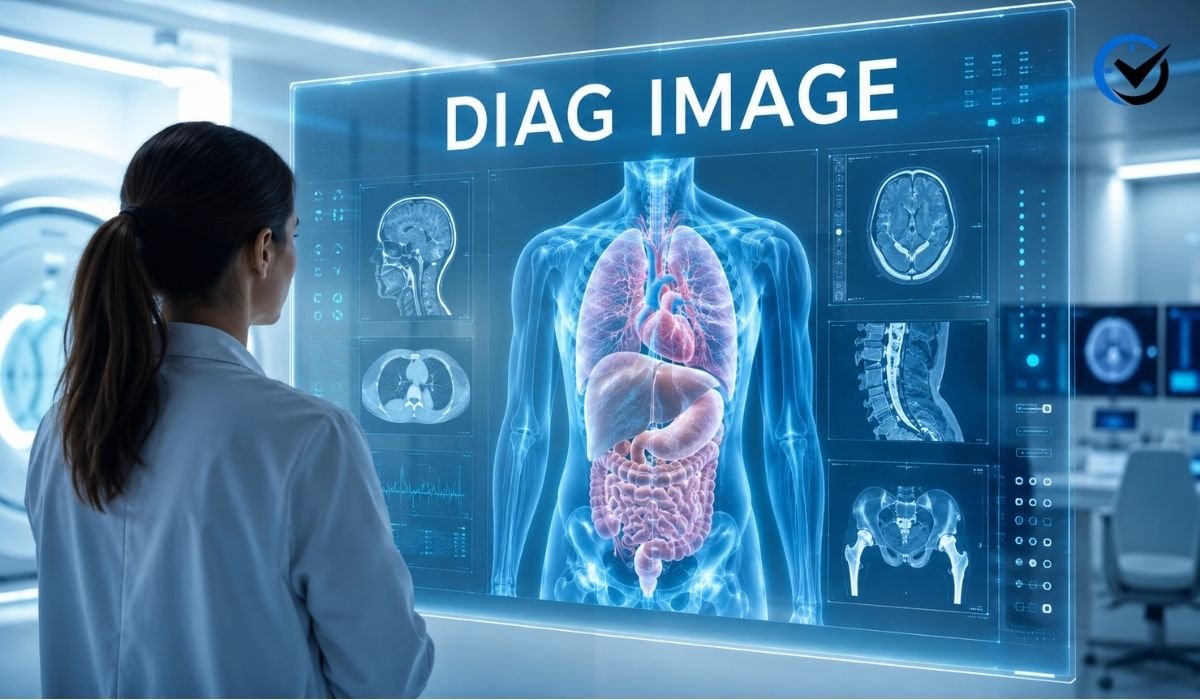
Common Types of Diagnostic Images
X-rays are among the most familiar diagnostic images and are particularly useful for examining bones and certain chest conditions. CT scans build detailed cross-sectional views by combining multiple X-ray measurements, making them valuable for evaluating injuries, internal bleeding, organs, and many other conditions. MRI produces highly detailed images of soft tissues and is widely used for areas such as the brain, spine, joints, and internal organs. Ultrasound creates images using reflected sound waves and is commonly used for abdominal examinations, pregnancy care, blood-flow assessment, and many soft-tissue applications. Nuclear medicine images work differently by showing how tissues or organs function rather than focusing only on their physical appearance.
How a Medical Diagnostic Image Is Created
Creating a useful medical image involves much more than pressing a button. First, the appropriate examination is selected according to the patient’s clinical needs. The patient is positioned so the target area can be captured correctly, and the imaging equipment collects the necessary signals. Specialized software then processes those signals into images that can be viewed and analyzed. Depending on the examination, the result may contain a single picture, multiple slices, moving sequences, or three-dimensional information. Image quality matters because motion, incorrect positioning, equipment limitations, or other technical problems can make interpretation more difficult and may sometimes require another examination.
How Doctors Use Diagnostic Images
A diagnostic image provides information that may support detection, evaluation, or monitoring. A physician may use an X-ray to investigate a suspected fracture, a CT scan to examine an injury, or an MRI to evaluate soft-tissue structures. Images can also help determine whether a known condition has changed over time. Comparing current images with previous examinations may reveal growth, healing, progression, or response to treatment. In many cases, the image is reviewed alongside other information rather than considered on its own. This broader approach reduces the risk of treating an isolated visual finding as a complete explanation for a patient’s condition.
A Diagnostic Image Is Not the Same as a Diagnosis
One of the most important points to understand is that an image does not automatically equal a medical diagnosis. A scan can show a structure or pattern that requires interpretation by a qualified professional. Some findings may be normal variations, while others may have several possible explanations. Radiologists and other specialists consider image characteristics together with clinical information before producing an interpretation or report. Even when software or artificial intelligence assists with image analysis, professional judgment remains important. A patient should therefore avoid drawing conclusions from an isolated image without the appropriate clinical explanation.
The Role of Digital Imaging
Modern diagnostic imaging is heavily dependent on digital technology. Instead of relying only on physical film, many healthcare systems store images electronically and make them available through specialized imaging systems. Digital workflows make it easier for authorized professionals to review examinations, compare older studies, share information between departments, and maintain organized records. Image processing can also adjust aspects such as contrast or brightness to help professionals examine particular details. These adjustments do not create new medical facts; they help display information that is already contained within the captured data.
Privacy and Security of Medical Images
Medical images contain sensitive health information and should be handled with the same care as other clinical records. A scan may be connected to patient identifiers, examination details, dates, and medical reports. Healthcare organizations therefore need appropriate safeguards for storage, transmission, access, and sharing. Patients should also be cautious when uploading medical images to general-purpose websites or unfamiliar services. A secure healthcare environment normally uses controlled access and established privacy procedures. Protecting diagnostic images is important not only for confidentiality but also for maintaining accurate medical records and preventing unauthorized use of personal information.
Diag Image in Technical and Computing Environments
The phrase can have a completely different meaning in technology. In computing, a diagnostic image may be a prepared software image used to start a device or computer in a controlled environment for troubleshooting. Here, “image” means a packaged collection of software, files, utilities, configurations, or operating components. It is similar in concept to other system images used for deployment or recovery, but its purpose is focused on diagnosis and testing. Technicians may use such an environment when a normal operating system cannot start correctly or when hardware needs to be tested outside the standard software environment.
What a Technical Diagnostic Image Can Contain
A technical diagnostic environment can include tools for checking memory, storage devices, processors, network interfaces, sensors, firmware, and other components. It may also provide utilities that collect logs or run controlled tests. The exact contents depend on the manufacturer, operating system, device architecture, and purpose of the image. For example, a hardware diagnostic environment may be designed to identify whether a failed system is suffering from a storage problem or a memory issue. By separating testing tools from the normal operating environment, technicians can investigate problems that might otherwise be difficult to reproduce or isolate.
How Technical Diagnostic Images Are Used
A technician may deploy or boot a diagnostic image when a computer, server, network device, or specialized system behaves unexpectedly. The environment can run tests without depending entirely on the software installation that may already be damaged. Results may reveal failed components, configuration problems, missing resources, or other abnormal behavior. This can make troubleshooting more systematic. Instead of replacing hardware based on guesswork, a technician can gather evidence and narrow the possible causes. In larger organizations, diagnostic environments can also support repeatable testing across many similar devices.
Medical and Technical Meanings Are Easy to Confuse
The shared wording creates understandable confusion. A person searching for “Diag Image” may be looking for information about a medical scan, while another person may be trying to understand a diagnostic software image mentioned in technical documentation. Context usually provides the answer. Words such as radiology, MRI, CT, ultrasound, patient, or examination strongly suggest healthcare. Terms such as boot, firmware, server, hardware, operating system, memory, or troubleshooting point toward computing. The safest approach is to identify the surrounding terminology before assuming that the phrase has one universal definition.
The Role of Image Quality
Quality is important in both medical and technical applications, although the meaning of quality differs. In medical imaging, quality can involve resolution, contrast, motion, positioning, signal strength, and the suitability of the examination for the clinical question. A technically poor scan may limit what a specialist can confidently assess. In technical diagnostics, quality can mean whether the image contains the correct software components, tools, drivers, configurations, and versions needed for testing. An incomplete or incompatible system image may produce misleading results or fail to start altogether.
Artificial Intelligence and Diagnostic Images
Artificial intelligence is increasingly used to assist with image-related tasks, particularly in healthcare. Depending on the system and its validated purpose, software may help identify patterns, highlight areas for review, measure structures, improve workflow, or prioritize examinations. These tools can be useful because modern imaging produces large amounts of information. However, AI output should not automatically be treated as a final medical conclusion. Performance can vary according to the type of image, equipment, patient population, and specific task. Human review remains an important part of responsible clinical use.
Why Diagnostic Images Matter
The value of diagnostic images comes from their ability to reveal information that may not be visible through ordinary examination. In medicine, they can support earlier detection, treatment planning, follow-up, and communication between healthcare professionals. In technology, diagnostic system images can help turn an unclear technical failure into a structured investigation. Both applications reduce dependence on guesswork. They provide evidence that can be examined, compared, stored, and discussed. Their usefulness depends on proper acquisition, appropriate interpretation, and a clear understanding of what the image can and cannot show.
Choosing the Right Diagnostic Approach
There is no single diagnostic image that is best for every situation. The right medical imaging method depends on the body part, suspected condition, urgency, patient factors, and information the healthcare professional needs. Similarly, the right technical diagnostic image depends on the device, operating environment, hardware architecture, and problem being investigated. Using the wrong tool can waste time or produce information that does not answer the actual question. Effective diagnosis begins with identifying the problem clearly and then selecting an appropriate method for gathering evidence.
Future Developments in Diagnostic Imaging
Diagnostic imaging is likely to become increasingly connected with automation, advanced image processing, three-dimensional visualization, and artificial intelligence. Healthcare systems are working toward faster workflows and more useful interpretation tools, while technical teams continue to develop better automated testing and system recovery environments. At the same time, privacy, reliability, interoperability, and human oversight will remain important. New technology is valuable when it improves accuracy, efficiency, or accessibility without creating unnecessary risks. The future is therefore likely to focus not only on producing more images but also on extracting useful information from them responsibly.
Final Thoughts
Diag Image is best understood through context. In healthcare, it generally relates to diagnostic imaging and the visual information produced by technologies such as X-ray, CT, MRI, ultrasound, and nuclear medicine. These images support medical evaluation but do not replace professional diagnosis. In computing, a diagnostic image can instead be a specialized software environment used to test hardware, investigate failures, and troubleshoot systems. Although these applications are very different, they share the same fundamental purpose: turning hidden or complicated information into useful evidence. Understanding that distinction makes the term much easier to interpret and helps readers recognize when they are dealing with a medical imaging concept and when they are dealing with a technical diagnostic tool.
Frequently Asked Questions
1. What does Diag Image mean?
Diag Image commonly refers to a diagnostic image or diagnostic imaging. In healthcare, it can describe visual information produced by methods such as X-ray, CT, MRI, ultrasound, or nuclear medicine. In computing, it can refer to a software or system image used for diagnostics and troubleshooting.
2. Is a Diag Image the same as a medical diagnosis?
No. A diagnostic image is evidence used during the diagnostic process, but it is not automatically a diagnosis. A qualified healthcare professional interprets the image together with symptoms, medical history, examination findings, and other relevant information before reaching a clinical conclusion.
3. What are the most common medical diagnostic images?
Common examples include X-rays, CT scans, MRI scans, and ultrasound images. Nuclear medicine studies are another important category. Each technique provides different information, so doctors select an imaging method based on the clinical question they need to answer.
4. What is a diagnostic image in computing?
In computing, a diagnostic image can be a prepared software environment containing tools used to test and troubleshoot a device. It may help technicians examine hardware, collect system information, identify failures, or investigate problems when the normal operating environment is unavailable or unreliable.
5. Does every medical condition require imaging?
No. Imaging is useful for many conditions, but it is not necessary for every medical problem. Healthcare professionals decide whether imaging is appropriate based on symptoms, examination findings, medical history, and the information needed to make a safe decision.
6. Can artificial intelligence interpret diagnostic images?
AI can assist with specific image-analysis tasks, but its capabilities depend on the system and the purpose for which it was developed and tested. Some tools can identify patterns, make measurements, or highlight areas for review. Professional oversight remains important, particularly when decisions affect patient care.
7. Why is diagnostic image quality important?
Good image quality helps professionals see relevant structures and patterns more clearly. Problems such as motion, poor positioning, insufficient signal, or technical errors can make interpretation harder. In computing, the equivalent concern is ensuring that a diagnostic system image contains compatible and complete tools for the intended tests.
8. Are diagnostic images stored permanently?
Storage practices vary by healthcare organization, country, examination type, and applicable record-retention requirements. Medical images are generally managed as part of a patient’s clinical record and may be retained so professionals can compare current studies with earlier examinations when appropriate.
9. Can patients interpret their own diagnostic images?
Patients can view their images, but interpreting them accurately can be difficult without specialized training and clinical context. A particular shape or shade does not necessarily indicate disease. The accompanying professional report and discussion with the healthcare team provide a much more reliable explanation.
10. Why does the term have different meanings?
The word “image” has different meanings in different fields. In medicine, it usually means a visual representation of anatomy or biological function. In computing, an image can mean a packaged software environment or system copy. The surrounding terminology usually makes it clear which meaning applies.
Recommended: Sovapp Review: Features, Benefits, Limitations, Security, and What Users Should Know





One Comment