
Letflix Review: Third-Party Streams, Privacy Questions, and Licensed Movie Alternatives

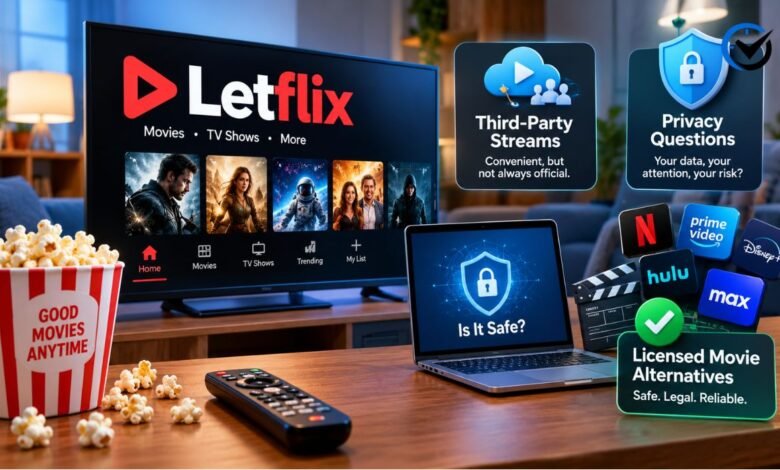
The appeal of Letflix is easy to understand: its streaming pages promise movies and television shows without a monthly subscription. However, a useful review needs to look beyond price and ask where the videos come from, what the service explains about personal data, and whether viewing rights are clear. Another complication is that a similarly named Android app serves a different purpose. This review examines the available website descriptions and app disclosures rather than claiming an independent security audit or a complete playback test. It explains what those materials establish, which claims remain uncertain, and how licensed alternatives compare for everyday viewing.
Understanding the Website and App Confusion
The name appears on streaming websites and on a Google Play app listed by developer TIR AW. The app describes movie discovery features, including summaries, ratings, cast details, and saved favorites. Crucially, its description says it does not stream or host movies or television shows. Installing that app therefore should not be treated as a way to watch the website’s advertised catalog. A shared name also does not establish common ownership or an official relationship between the products. Before installing anything, compare the developer identity, stated purpose, and requested permissions. Similar spelling provides no evidence of an affiliation with Netflix, either. These distinctions prevent expectations about one product from being transferred automatically to another.
How Third-Party Streams Work
One Letflix-branded website states that its video files are hosted on unaffiliated third-party servers. In this arrangement, the page visitors browse and the system delivering the video are different parts of the experience. A site can organize movie listings while an external player or server supplies playback. That separation matters because loading problems, advertising, and data handling may involve more than the main website. A polished homepage tells readers little about the operators behind every embedded component. Third-party delivery is not, by itself, evidence of wrongdoing; legitimate services also rely on outside infrastructure. The relevant questions concern authorization, accountability, and what users encounter when playback begins.
What the Advertised Features Actually Establish
The streaming pages advertise broad movie and television selections, browser access, and high-definition viewing. One page claims more than 90,000 titles and video quality up to 1080p. Those figures are promotional claims, not independently verified measurements in this review. A title count may include individual episodes, duplicate listings, or entries without functioning playback, so it cannot automatically be read as a count of distinct, available films. Likewise, a resolution label does not establish the quality of the original recording, sound, or subtitles. For viewers, the useful standard is whether the specific program they want is available in a watchable version. Promises about a large catalog are less informative than accurate information about individual titles.
Why Website Addresses Can Be Confusing
The pages checked for this review did not present a single consistent situation. One familiar address displayed a domain parking message, while another advertised a move to a newer address. These observations explain why an old bookmark and a newly discovered page may produce different results. They do not establish who controls every website using the name or why a particular address changed. Similar branding can appear on replacement sites, independent copies, or unrelated pages. A notice calling a destination “official” is still a claim that requires verification. For readers, repeatedly following unfamiliar addresses creates uncertainty about which operator they are dealing with. Treat each destination as a separate service until its identity is clear.
Licensing Matters More Than the Hosting Location
Copyright permission concerns the authorized use of a work, rather than simply the machine storing it. A statement that videos sit on external servers does not establish permission to make those videos available. The pages reviewed did not provide enough information to verify the advertised catalog’s viewing rights. That limits any responsible claim that the streaming service is licensed. However, it would also be misleading to declare every product sharing the name illegal or to make sweeping claims about viewers’ liability worldwide. National rules and specific circumstances differ. For choosing entertainment, the practical distinction is clearer: licensed platforms have an identifiable business and a stated basis for offering their catalog. That is a stronger foundation than an unexplained collection of external streams.
Reading the Privacy Disclosures Carefully
The Android app’s developer-provided Google Play disclosure says it may collect and share app activity and device identifiers. It also states that data is not encrypted and cannot be deleted. These declarations describe the listed app; they should not be applied automatically to unrelated websites bearing the same name. They are also developer statements, rather than an independent examination of every data transfer. On a streaming website, useful privacy information should explain who collects data, why it is collected, which outside parties receive it, and what choices users have. General promises about protecting privacy do not answer those questions. Decide whether the information requested makes sense for the function you want before creating an account or installing software.
Ads and Permissions Deserve Separate Attention
Advertising is not inherently suspicious. Many licensed streaming services use commercial breaks to fund free viewing. The concern is a page asking for unrelated actions, such as installing an unfamiliar extension, granting notification access, or entering payment details after advertising free playback. Treat such requests according to their purpose, rather than assuming they belong to the movie player. A warning displayed inside a webpage is not automatically a genuine diagnosis of your device. If a page opens an unexpected destination, close it and review what happened before continuing. Browser notification permissions can be withdrawn through site settings. These are general browsing precautions, not evidence that every Letflix page contains malicious advertising or that every visitor will encounter the same behavior.
Judging Playback and Device Compatibility
A loading failure does not identify its own cause. Slow connections, an overloaded video host, browser compatibility, and an unavailable file can produce similar symptoms. Compare ordinary browsing or another trusted video service before assuming your device is responsible. If other services work normally, the problem may lie with the particular player or host. Avoid treating instructions to disable browser protection as routine troubleshooting. Device support also deserves a closer look: a website opening on a smart television does not establish a dedicated television app, dependable remote controls, or working captions. For regular viewing, check the features that matter to your household, including subtitle languages, audio options, accessibility controls, and whether playback resumes reliably after an interruption.
Free Licensed Alternatives to Consider
Tubi, Pluto TV, and Plex offer established alternatives for viewers comfortable with advertising. Tubi provides free movies and television shows with ad breaks. Pluto TV combines scheduled streaming channels with an on-demand selection, while Plex offers its own free catalog alongside other media features. These models suit different habits: channel browsing works for casual viewing, whereas an on-demand library lets you select a particular program. Their availability and catalogs vary by country, and none should be assumed to carry every new release. Check your region and the specific title before choosing. Free access also does not mean an absence of data collection, so read privacy controls on licensed platforms too. Their commercial model is easier to understand than an unexplained promise of unlimited entertainment.
Library Access and Paid Options Fill Different Gaps
Kanopy provides another route through participating public libraries and educational institutions. Access depends on eligibility, and library arrangements can include viewing limits or tickets. It is therefore worth checking your institution’s offering rather than assuming unlimited access. For a specific recent film, a licensed rental may be more practical than adding another recurring subscription. Compare the rental period, playback deadline, subtitle availability, and supported devices before paying. A subscription makes more sense when several programs you want are available together and you expect to watch them within the billing period. These choices address different needs: library access can reduce costs, rentals suit occasional titles, and subscriptions support regular viewing. Start with the film or series you want, then choose the service.
Final Thoughts
Letflix’s advertised convenience is understandable, but the available information leaves important questions about the streaming websites’ licensing and accountability unresolved. The Android discovery app is a different proposition and should be assessed using its own description and privacy disclosures. The most useful decision is therefore based on the actual product, desired title, country, and device, rather than the name alone. A large advertised catalog and an attractive interface are limited reasons to trust a service. For regular movie watching, licensed options offer a clearer basis for evaluating availability, costs, and support. Choose a viewing route that explains what it provides and what it asks from you in return.
Frequently Asked Questions
1. Is Letflix connected to Netflix?
Similar names do not establish a business relationship. The materials reviewed did not demonstrate an affiliation with Netflix. Do not assume that a familiar-looking name, color scheme, or movie listing gives a website access to another company’s subscription catalog or customer accounts.
2. Does the Google Play app show full movies?
Its description explicitly says it does not stream or host films or television shows. Movie information and discovery features are its stated purpose. Seeing a poster, cast list, or trailer inside an app should not be confused with access to the complete program.
3. Is the streaming website licensed?
This review could not verify authorization for its advertised streaming catalog. External hosting and free access do not answer the licensing question. Evaluate the specific website and its operator rather than applying a blanket conclusion to every app or page sharing the name.
4. Does free viewing always mean no payment details are needed?
No. Read the actual service terms and distinguish optional account features from a request to unlock playback. If a supposedly free player unexpectedly asks for card information, stop and identify who is requesting it, what it costs, and whether recurring charges apply.
5. Why might a listed movie fail to play?
A catalog entry and a working video file are different things. The host may be unavailable, the file may have been removed, or the browser may not support the player. An error alone does not prove that your internet connection or device is at fault.
6. Can a secure connection prove that a website is trustworthy?
No. An encrypted connection protects data in transit but does not verify movie rights, business honesty, or every page a player might open. Consider connection security alongside clear ownership and sensible permission requests. It should never be treated as a complete assessment of the service.
7. Are subtitles and smart TV support guaranteed?
An advertised feature may not work consistently across every title or device. Confirm the subtitle language and your television’s compatibility before relying on either. A browser page that loads successfully can still have a player that handles captions or remote navigation poorly.
8. Which free alternative should international viewers choose?
Start with the services officially available in your country, then check their local catalogs. Tubi, Pluto TV, and Plex are options to investigate, not universal guarantees. The right choice depends on available titles, language support, device compatibility, and your tolerance for commercial breaks.
9. Can anyone watch films through Kanopy?
Access generally requires a participating library or educational institution and the appropriate credentials. Your local library may not offer it, and viewing allowances can differ. Check eligibility and title availability before signing up rather than assuming another library’s arrangement applies to you.
10. What should I do after an unexpected download or pop-up?
Do not open an unfamiliar downloaded file or call a number shown in a security pop-up. Close the page, review notification permissions, and use your device’s trusted security tools if you suspect a problem. If you disclosed credentials, change the affected password promptly.
Recommended: Pasonet Technologies: Cloud Services, Cybersecurity, Medical Billing, and What to Verify

One Comment