
Ensora Data Collection Guide: From Baseline Tracking to Skill Acquisition and Reports

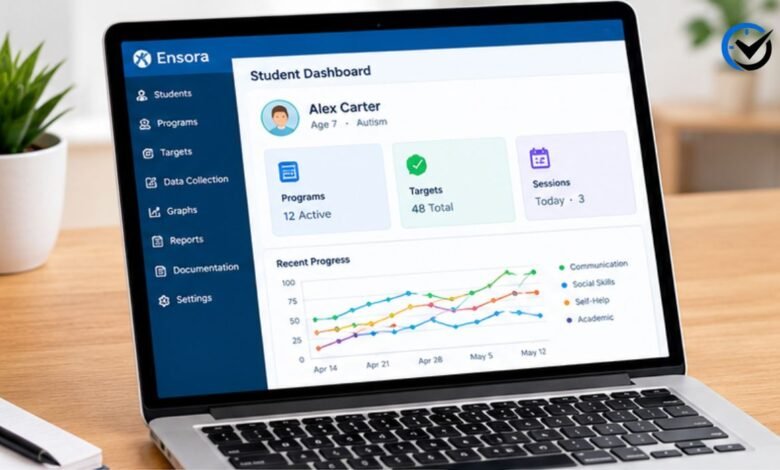
Applied behavior analysis depends on accurate information collected during sessions. A clinician may need to know how often a behavior occurs, how a learner responds to a teaching task, whether a skill is becoming more independent, and how performance changes over time. Ensora Data Collection is designed around these needs. Formerly known as Catalyst, it combines a web portal and mobile app for ABA data collection, programming, analysis, documentation, and reporting. This guide explains how the system fits into an ABA workflow, from baseline and treatment to graphs, notes, and reports.
Understanding the Platform
The platform gives ABA teams a structured place to plan programs and record information. The portal is generally used for setup, programming, analysis, and reporting, while the mobile app supports direct collection in sessions. This separation matters because the person designing a program and the person collecting data may have different responsibilities. A well-configured system can reduce repeated work and make information easier to review.
Starting With Student Setup
Data collection begins before anyone taps a response on a phone or tablet. A student must first be established in the system, and relevant programs, targets, and behaviors need to be configured. Ensora’s training materials cover baseline criteria, mastery criteria, maintenance levels, prompt schedules, interval schedules, and curricula. This preparation creates the structure staff see in the app. If a target is missing or not in the proper treatment status, it may not appear as expected.
Why Baseline Data Matters
Baseline data provides a starting picture of performance before a teaching plan is evaluated. Without a clear starting point, later changes can be difficult to interpret because there is nothing consistent to compare them with. Baseline criteria can be configured as part of student programming, allowing relevant targets to be organized for collection. The important point is not simply to gather numbers, but to establish measurements that match the behavior or skill being addressed and can be collected consistently.
Moving From Baseline to Treatment
After baseline information has been established, programs can move into active treatment according to criteria selected by the clinical team. The platform supports acquisition and maintenance, allowing targets to be handled differently as learning progresses. It can also support custom prompt levels, errorless teaching, cold probes, and behavioral momentum features. These tools do not replace clinical judgment; they provide a way to represent a treatment plan consistently.
Organizing Skill Acquisition
Skill acquisition is easier to manage when broad goals are separated from individual teaching targets. The system uses skill areas, programs, and targets to organize this information. A skill area might cover communication, a program might address receptive identification, and individual targets could represent specific responses. Once targets are configured and placed in treatment, staff can access them through the student dashboard and playlists. This keeps a large treatment plan easier to navigate.
Using Playlists During Sessions
Playlists group programs that staff need during a session. Teams can use groups such as baseline or maintenance and create custom playlists around student needs. Before a session, users select the programs they intend to run. As data is recorded, the app can move through targets according to program and session settings, reducing the need to search through the full treatment plan.
Collecting Skill Data
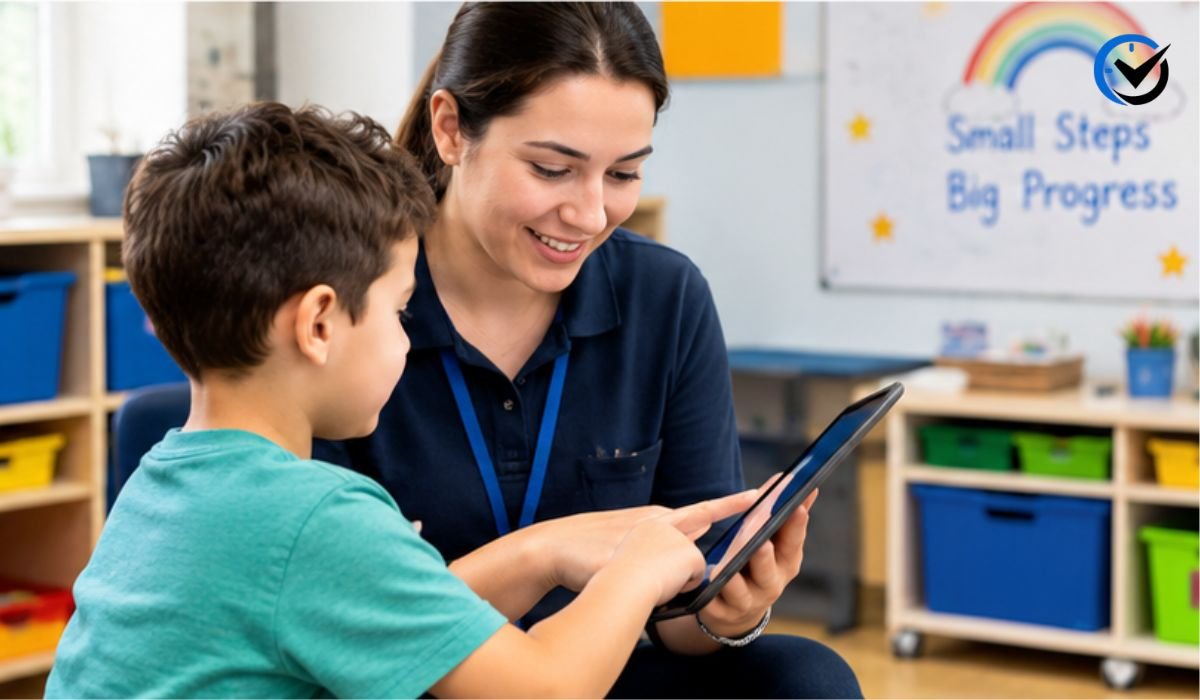
The type of information recorded depends on the target. A skill program may involve discrete trials, task analysis, or another measurement approach suited to the teaching goal. During collection, staff follow target instructions and select the appropriate response. The app can display trial progress, while past information, notes, and program instructions can also be reviewed. This connects the teaching procedure with the data later analyzed.
Tracking Behavior Reduction
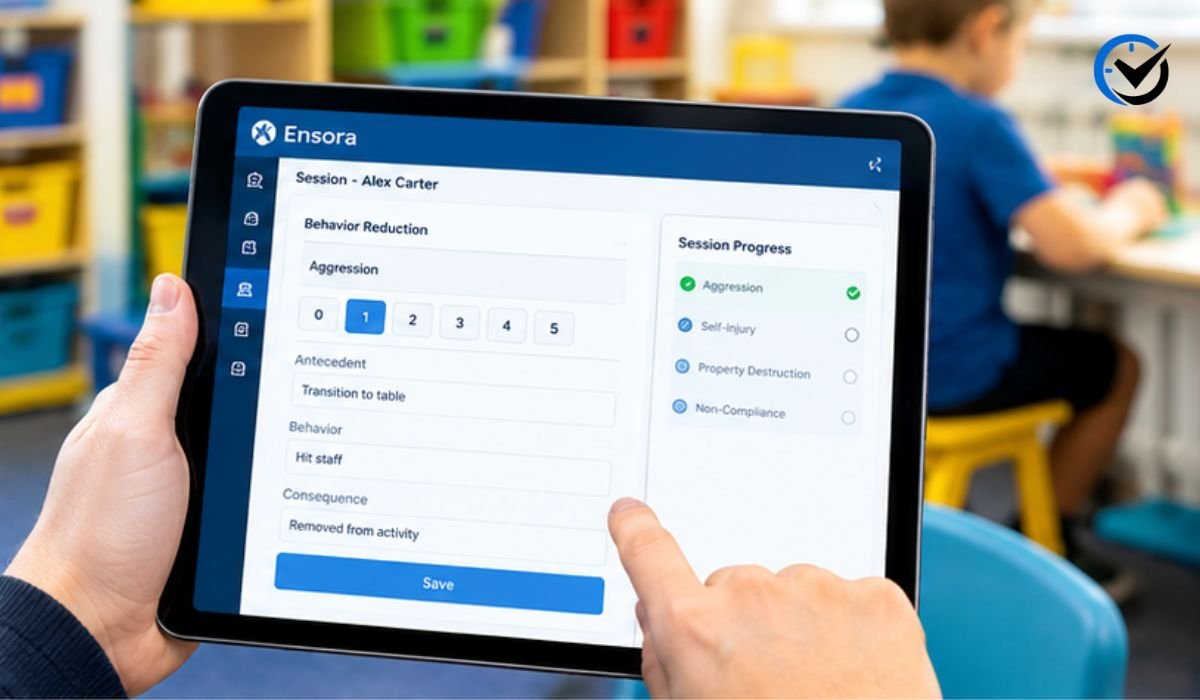
Skill acquisition is only one side of an ABA data system. Teams may also need to monitor behaviors targeted for reduction. The platform supports behavior-reduction workflows and can distinguish between recording data for individual behaviors and collecting ABC event information. Different measurement methods can be appropriate for different behaviors, so the goal should be to use the method specified by the treatment plan rather than selecting a measurement simply because it is convenient.
Understanding ABC Data
ABC data refers to antecedent, behavior, and consequence information. It helps clinicians examine what happened immediately before a behavior, what the observable behavior looked like, and what followed it. This type of record can reveal patterns that a simple frequency count may miss. Repeated events might appear around a particular activity, transition, demand, or environmental change. Digital collection can organize these observations, but interpretation still requires careful clinical review.
Using Zero-Data Features Carefully
One useful concept in behavioral data is recording a genuine zero rather than leaving a day blank. Ensora documentation describes a feature that can add zero data points for selected targets or behaviors when a student was present but the targeted behavior did not occur. This distinction can matter when reviewing graphs. A missing data point may mean nobody collected information, while a zero can indicate that the behavior was observed and did not occur. Teams should configure this feature according to their documentation practices.
Reviewing Graphs and Patterns
Collected data becomes more useful when viewed over time. The platform provides graphing and analysis tools that allow learner data to be examined in different ways, including available comparisons across dates, instructors, or times of day. Graphs can reveal trends, but they should not be interpreted alone. Changes may reflect an intervention, different staff, attendance, setting changes, or other factors that need consideration alongside the numbers.
Using Reports for Clinical Review
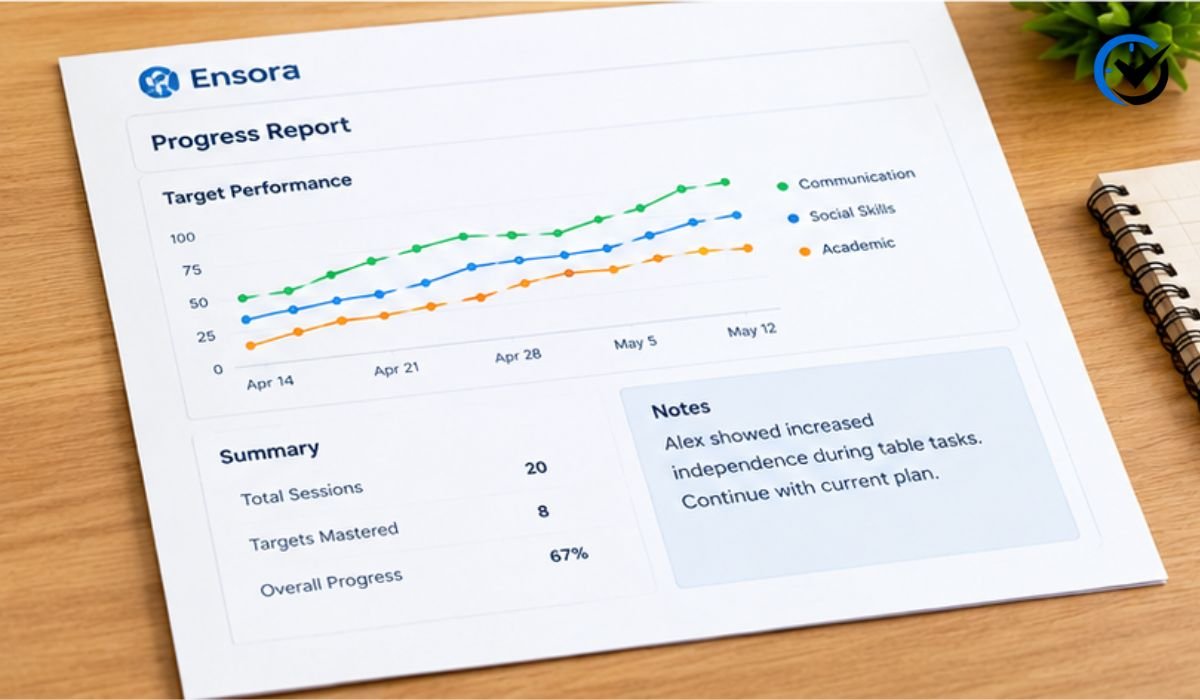
The analysis and reporting area brings together information that might otherwise be spread across session records. The system includes reports for targets, behaviors, programs, and notes, along with graphing and progress-note functions. This can help supervisors review a defined period and identify progress or areas needing attention. A polished report still depends on accurate, consistent underlying data.
SOAP Notes and Progress Documentation
Data collection does not replace clinical documentation. SOAP notes and progress notes place session information into a broader clinical context. Ensora includes workflows for both, and published SOAP notes can move between connected Ensora systems when the appropriate integration is enabled. Notes should remain objective, specific, and consistent with the services provided rather than simply repeating a data table.
Working Between the App and Portal
The app and portal serve different parts of the workflow. Direct staff generally need a fast interface for recording data while working with a learner, whereas supervisors and administrators need broader controls for programming, analysis, documentation, and configuration. Keeping these roles clear can reduce setup errors. If a target or behavior is unavailable during collection, checking its configuration in the portal may be more useful than repeatedly restarting the mobile app.
Manual Data Entry and Raw Data
Not every piece of information must originate from live mobile collection. The portal also provides a way to manually enter skill data. Once entered, raw data can be reviewed from the relevant skill-acquisition area. Manual entry can be useful for approved workflows, but it also creates another opportunity for mistakes. Teams should verify dates, times, targets, and values when accuracy matters.
Offline Work and Synchronization
Real-world sessions do not always happen in places with perfect connectivity. For that reason, synchronization is an important part of any mobile data workflow. Users should understand how information moves between the app and the broader system and should keep the application updated when required. Ensora provides dedicated training and troubleshooting material for syncing. When something appears missing, determine whether the issue involves data entry, account access, configuration, connectivity, or synchronization.
Privacy and Responsible Data Handling
ABA records can contain sensitive information about clients, staff, schedules, and services. Responsible use requires attention to privacy policies, access controls, documentation rules, and applicable legal requirements. The app listing states that data is encrypted in transit and provides developer-reported information about collection and sharing. Because privacy details can change and vary by region, organizations should review current product information and their own requirements.
Common Setup Problems
Many problems that look like app problems begin with configuration. A target may be unavailable because it is not open or in treatment, while a behavior may be missing because it was not created in the portal. A report can also look incomplete when data was not recorded or the selected date range is wrong. When troubleshooting, check student, program, target, and session settings first. This approach can save time and make support conversations more precise.
Making the Data More Useful
Good software cannot create good data by itself. Staff still need clear definitions, consistent measurement procedures, training, and enough context to understand unusual results. Supervisors can review collection patterns, check whether staff use the intended response options, and look for unexplained gaps. Each measurement should have a clear purpose connected to treatment or documentation needs.
Who Can Benefit From the Platform?
The system is primarily relevant to ABA organizations and professionals who need structured behavioral and skill-acquisition data. BCBAs, RBTs, behavior technicians, supervisors, and administrative teams may use different parts of the workflow. Responsibilities vary by organization. A smaller team may focus on session data and reports, while a larger organization may also use programming, documentation, integrations, and analysis.
Final Thoughts
Ensora Data Collection is best understood as a connected workflow rather than a simple digital replacement for paper data sheets. Its value comes from linking student programming, baseline information, skill acquisition, behavior reduction, session collection, graphs, notes, and reporting in one environment. The platform can make information easier to organize and review, but results still depend on sound clinical planning and careful data collection. For teams considering or already using the system, the most important step is to understand how each feature fits the organization’s actual ABA workflow and documentation requirements.
Frequently Asked Questions
1. What is Ensora Data Collection?
It is an ABA-focused platform for recording behavioral and skill-acquisition information, managing programs, reviewing data, and supporting documentation and reporting. It was formerly known as Catalyst.
2. Is Ensora Data Collection only for ABA therapy?
Its core workflow is designed around applied behavior analysis, including skill acquisition, behavior reduction, baseline tracking, graphs, and documentation. It is mainly suited to ABA providers and teams.
3. What is the difference between the portal and the app?
The portal handles configuration, programming, analysis, reporting, and administration. The mobile app is primarily for collecting information during sessions and accessing student programs.
4. Why is baseline data important?
Baseline provides a starting measurement for comparison. It helps a clinical team understand whether observed changes occur after treatment begins.
5. Can the system track skill acquisition?
Yes. Programs can be organized into skill areas, programs, and targets, with staff collecting data on active targets through the app.
6. Can it record behavior-reduction data?
Yes. It includes behavior-reduction workflows and supports approaches such as ABC event data and other configured measurement formats.
7. What are playlists used for?
Playlists group relevant programs and targets for easier session access, including standard or customized collections.
8. Does it support SOAP notes?
Yes. SOAP notes are part of the documentation workflow, and connected Ensora systems can support synchronization when the required integration is enabled.
9. Can data be entered manually?
Yes. The portal includes manual skill-data entry for approved workflows outside a live mobile session, with resulting raw data available for review.
10. Is Ensora Data Collection a replacement for clinical judgment?
No. It organizes and records information. Decisions about measurement, treatment, interpretation, documentation, and care remain with qualified professionals.
Recommended: Tech Feedbuzzard Explained: Technology, Artificial Intelligence, Cybersecurity, and More


One Comment