
Amazon Alexa Business: How Voice Technology Is Transforming Modern Workplaces


Voice technology has changed the way people interact with computers, phones, smart devices, and online services. Amazon Alexa became widely known as a consumer voice assistant, but Amazon also developed workplace-focused tools that allowed organizations to bring voice interaction into offices, meeting rooms, and everyday business tasks. The term “Amazon Alexa Business” is often used broadly today, which can create confusion because the original Alexa for Business AWS service is no longer a current supported product. AWS documentation and SDK material now identify Alexa for Business as retired, while Amazon continues to develop Alexa and other enterprise-oriented voice solutions.
What Amazon Alexa Business Originally Meant
Alexa for Business was introduced by Amazon Web Services in 2017 as a way for organizations to use Alexa across the workplace. The service was designed around a simple idea: employees should be able to interact with workplace technology using natural speech instead of navigating menus, searching for information manually, or operating several pieces of equipment. It supported shared Alexa devices, employee enrollment, skill management, and workplace-specific experiences.
How Alexa Entered the Workplace
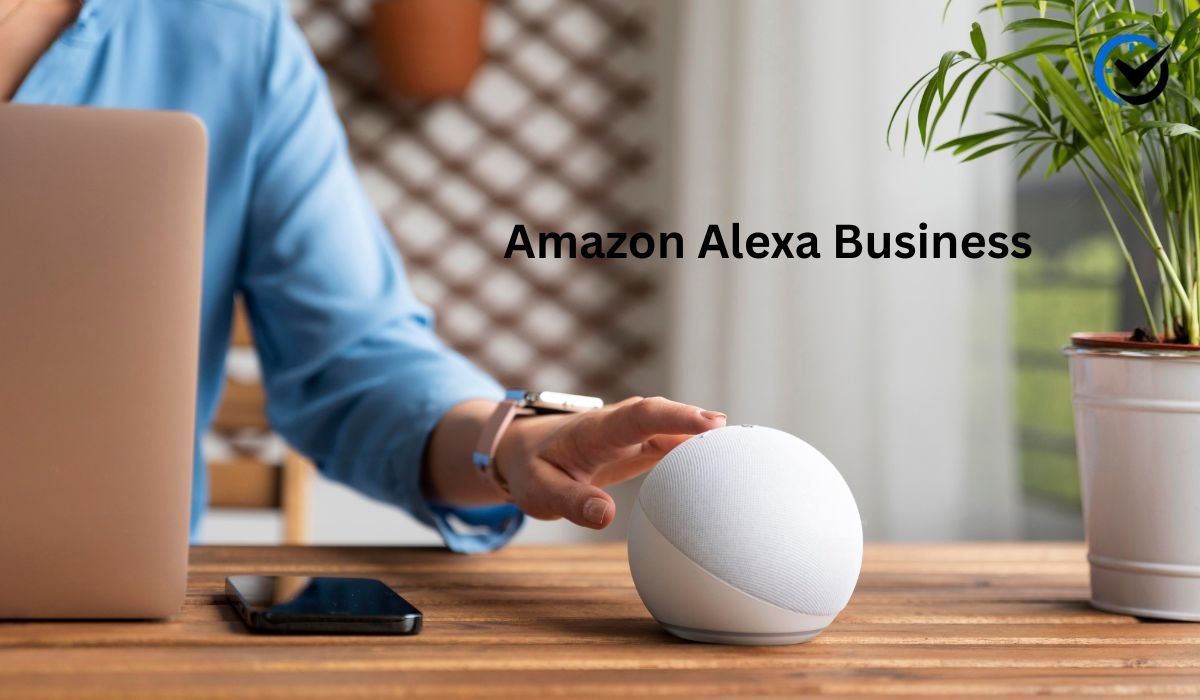
The workplace version of Alexa was intended for several settings rather than one specific type of business. Companies could place shared devices in meeting rooms, common areas, and other locations, while employees could also use personal Alexa devices for work-related activities. This model allowed voice technology to become part of the normal work environment instead of requiring employees to learn a completely separate system. The underlying goal was convenience: reduce small technology-related tasks and make information easier to access.

The Role of Alexa in Meeting Rooms
One of the clearest business applications was conference-room management. Employees could use voice commands to begin meetings, connect to conference calls, and interact with compatible room equipment. This was particularly useful in rooms containing several devices, where starting a meeting might otherwise require a remote control, computer, display system, and conferencing application. Alexa could act as a single voice interface connecting those steps together.
Making Meetings Easier to Manage
Meeting-room technology also extended beyond simply starting a call. Amazon introduced features that could remind employees when a meeting was approaching its scheduled end and release rooms that had been reserved but were not being used. Organizations could also examine room utilization information, including meeting counts and reservation attendance. These features showed how voice technology could be connected with facilities management rather than being limited to personal productivity.
Workplace Skills and Custom Commands
A major part of the original platform was the ability to create private Alexa skills for an organization. These skills could be designed around internal information and processes that were not appropriate for a public voice application. Amazon also introduced Skill Blueprints that allowed organizations to create certain workplace experiences without traditional programming. Examples included business questions and employee onboarding information.
Connecting Alexa With Business Workflows
The broader concept was to connect voice commands with existing workplace systems. A company could create experiences for finding rooms, getting office directions, reporting equipment problems, requesting supplies, or retrieving information from business applications. Amazon’s original announcement specifically described integrations and use cases involving services such as Salesforce, Concur, and Splunk. The value came from connecting a spoken request with an existing business process rather than simply asking Alexa for general information.
Supporting Employees at Their Desks
Voice assistance was not limited to shared office spaces. Employees could use personal Alexa devices for activities such as checking calendars, managing reminders, making calls, and joining meetings. Amazon also described support for accessing information through connected business applications. This approach reflected the growing movement toward flexible work, where employees may move between an office, home, and other locations during the same working week.
Why Voice Interaction Can Be Useful at Work
Voice commands can be helpful when a task is faster to say than to type or click. A worker entering a meeting room, for example, may not want to search through a touchscreen interface just to start a conference. Similarly, someone working with equipment may benefit from hands-free interaction. These advantages are most noticeable when voice controls remove small points of friction rather than attempting to replace every conventional computer interface.
Accessibility and Hands-Free Work
Voice interfaces can also provide another way for people to interact with technology. Hands-free commands may be useful when employees are carrying equipment, moving around a facility, or unable to use a keyboard easily. However, accessibility needs differ between individuals, so voice assistance should be viewed as an additional interface rather than a universal replacement for visual controls, keyboards, or other assistive technologies.
Privacy Matters in Business Voice Systems
Voice technology introduces important privacy questions because conversations and commands involve audio data. Organizations need to understand how managed devices operate, what information is processed, which settings administrators control, and how recordings are handled. Amazon previously provided an organizational setting that allowed Alexa for Business customers to control whether managed-device recordings could be manually reviewed for service improvement. This illustrates why workplace voice deployments require clear data policies rather than simply installing smart speakers and assuming privacy concerns are solved automatically.
Security Requires More Than a Voice Assistant
Businesses also need to consider account permissions, device placement, network security, and access to internal information. A voice assistant connected to workplace systems should not automatically receive unrestricted access to sensitive business data. Administrators need to determine which employees, rooms, devices, and skills can access particular functions. The original service included administrative controls for devices, rooms, users, and skills, demonstrating how enterprise voice systems require management beyond the physical device itself.
What Happened to Alexa for Business?
This is one of the most important points for anyone researching the subject today. Alexa for Business should not be confused with a currently available AWS service. AWS-related documentation now identifies the service as retired, and current SDK documentation explicitly states that it is no longer supported. As a result, older articles describing new Alexa for Business accounts, current pricing, or fresh deployments can be misleading if they are presented as though the original service were still available.
Why Older Information Still Appears Online
The confusion exists partly because Alexa for Business was a real and significant AWS product for several years. Amazon published detailed documentation, product announcements, developer resources, and integration information when the service was active. Many of those pages and technical references remain searchable, while some current Amazon developer material still mentions enterprise solutions. This creates a situation where historical information can appear alongside newer Alexa technologies. Readers should therefore check the date and current status of any information about business Alexa deployments.
Alexa Is Still Relevant to Business
The retirement of one workplace service does not mean voice technology has disappeared from Amazon’s broader business ecosystem. Amazon’s current Alexa developer platform continues to support voice experiences, Alexa skills, device development, and enterprise solutions. The company’s developer material describes Alexa as a cloud-based voice service available across Amazon and third-party devices, with tools for building voice experiences and integrating Alexa into products.
The Shift Toward More Conversational AI
The wider voice-assistant market has also moved beyond simple commands. Modern AI assistants increasingly aim to understand context, handle longer conversations, and connect several actions together. That shift changes what businesses may expect from voice technology. Instead of using an assistant only to start a meeting or set a reminder, organizations increasingly look toward systems that can understand business context and work alongside other digital tools.
Alexa and the Future of Connected Workplaces
The future of workplace voice technology is likely to depend on integration rather than the speaker itself. A useful business assistant needs to connect with calendars, meeting systems, room controls, internal knowledge, customer tools, and other approved services. The strongest workplace experiences are therefore likely to come from combining voice interaction with existing business infrastructure. This makes the technology less about owning a smart speaker and more about designing a practical digital workflow.
Is Alexa Right for Every Business?
Not necessarily. A voice assistant makes the most sense when speaking is genuinely faster, easier, or more accessible than using a traditional interface. Businesses also need to consider privacy, security, employee acceptance, integration requirements, device management, and the sensitivity of the information involved. A company with simple needs may gain little from a complex voice deployment, while an organization managing many meeting rooms or customer-facing environments may have more practical reasons to explore managed voice technology.

How Businesses Should Evaluate Alexa-Related Solutions
Organizations researching Amazon’s current voice technology should begin with the specific problem they want to solve rather than starting with a particular device. A company interested in conference-room control has different requirements from a hotel seeking guest services or a developer building a voice-enabled customer experience. The important questions include which product is currently supported, where data is processed, what integrations are available, how administrators manage access, and whether the solution can scale without creating unnecessary complexity.
Final Thoughts
Amazon Alexa demonstrated that voice interaction could move beyond the home and become part of workplace technology. Its original business offering showed practical applications ranging from meeting-room controls and employee assistance to private skills and room-management tools. However, the historical Alexa for Business service should not be treated as a current AWS product because it has been retired. Today, businesses researching Amazon Alexa Business need to distinguish the older workplace platform from Amazon’s current Alexa ecosystem and newer enterprise solutions. The lasting lesson is that voice technology works best when it solves a clear workplace problem, connects naturally with existing systems, and is deployed with careful attention to privacy, security, accessibility, and user needs.
Frequently Asked Questions
1. What was Alexa for Business?
Alexa for Business was an AWS service launched in 2017 that helped organizations deploy and manage Alexa-enabled devices, users, rooms, and skills. It was designed for workplace activities such as meetings, information access, and office tasks. The original service has since been retired.
2. Is Alexa for Business still available?
No. The original Alexa for Business service is retired and is no longer supported as a current AWS service. Businesses should not rely on older setup instructions or pricing information when planning a new deployment.
3. What could businesses do with Alexa for Business?
Organizations could use it for meeting-room controls, conference calls, room searches, workplace information, reminders, employee assistance, private skills, and certain business application interactions. Administrators could manage devices, users, rooms, and skills centrally.
4. Could Alexa start business meetings?
Yes. During the Alexa for Business era, compatible meeting rooms could be configured so employees could start meetings using voice commands. Alexa could interact with supported conferencing equipment and applications.
5. What were Alexa private skills?
Private skills were voice experiences created for a specific organization rather than being made generally available through the public Alexa Skills Store. They could support internal questions, employee guidance, workplace services, and other company-specific tasks.
6. Can Alexa help manage conference rooms?
Historically, yes. Alexa for Business included tools for meeting-room configuration, room controls, meeting participation, and utilization features. Some capabilities could also help release unused reservations and provide room-use information.
7. Is Alexa useful for small businesses?
It can be useful for specific tasks, but the right solution depends on the business. Voice assistance may help with reminders, hands-free interaction, simple information requests, or compatible smart devices. Companies should first identify a genuine need rather than adopting voice technology simply because it is available.
8. What privacy issues should businesses consider?
Businesses should consider how voice recordings and other information are processed, stored, accessed, and used. They should also establish clear rules for managed devices, employee privacy, permissions, and sensitive conversations. These issues become especially important when voice systems interact with internal business information.
9. Can Alexa connect with business applications?
Alexa can be developed to work with external services and applications through supported tools and integrations. Historically, Alexa for Business supported connections to several workplace applications and allowed organizations to create private voice experiences. Current integration options depend on the specific Alexa technology being considered.
10. What should businesses consider before using Alexa today?
The first step is to identify the exact business requirement and then choose a currently supported Amazon solution that matches it. Businesses should check product availability, integrations, administration features, privacy controls, security requirements, accessibility, and long-term support before deploying voice technology at scale.
Recommended: Ensora Data Collection Guide: From Baseline Tracking to Skill Acquisition and Reports



One Comment