

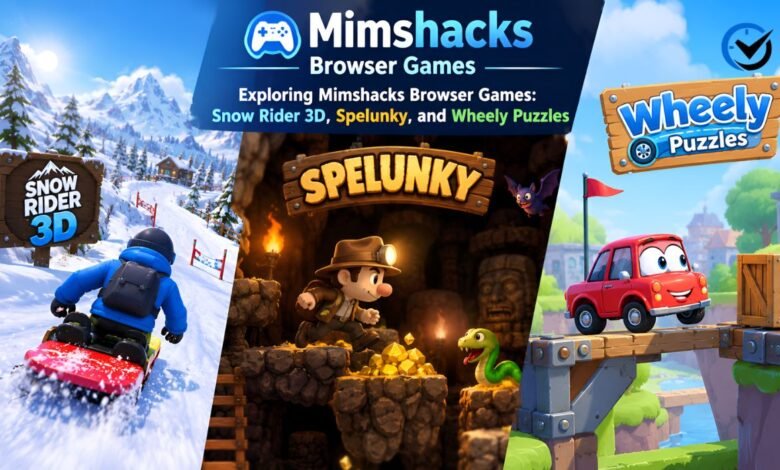
Snow Rider 3D, Spelunky, and Wheely may sit under the same browser gaming umbrella, but they ask very different things of the player. One rewards quick steering on a snowy slope, another combines cave exploration with difficult survival decisions, and the third turns a small car’s journey into a series of puzzles. Mimshacks has pages covering all three. Understanding their differences helps you choose a game that fits your mood, available time, and device rather than clicking through titles that offer an experience you do not enjoy.
This guide explains what each game involves, how to approach its challenges, and what to check before playing through a gaming website. It also separates the game’s basic design from features that depend on the version or hosting page. That distinction matters with older browser titles, which may appear as updated versions, embedded players, or descriptive articles. A familiar name does not guarantee identical controls, reliable saving, or the same features everywhere. Knowing what to expect makes the first few minutes more useful and less frustrating.
What the Website Offers Browser Game Players
The gaming website combines game descriptions with other content, including Roblox resources, crossplay articles, and mouse settings guides. Its browser game coverage includes an Unblocked category, while Snow Rider 3D appears within its Games section. These labels help organize content, but they do not describe a single shared game system. Opening a puzzle game will not necessarily give you the same controls, menus, or saving options as opening a platform adventure. Start with the individual game page and read enough of its description to understand the goal before looking for the player.
There is also a difference between a game listing and a working game. The Wheely and Spelunky pages include players supplied through external websites, so loading depends partly on those services. A description alone does not establish that a game is currently playable on your device. The Mimshacks name also appears in connection with a creative studio in Mauritius; that business profile should not be treated as a description of the gaming website. For this guide, the relevant material is the browser game coverage and the versions associated with it.
Snow Rider 3D: Reading the Slope and Avoiding Crashes
Snow Rider 3D is a downhill sledding game built around staying on the course while avoiding obstacles. Trees, snowmen, and other hazards turn a simple journey into a constant series of decisions. Wrapped gifts provide another reason to move across the slope, and collected presents can unlock additional sled designs. The basic appeal comes from trying to extend a run and improve your result. It is a suitable starting point if you enjoy arcade challenges with a clear objective, although knowing what to do is much easier than maintaining control through a crowded stretch.
A useful practice method is to focus on survival before chasing every gift. Look farther along the slope instead of watching only the sled’s immediate position, and make smaller steering corrections when there is room. A present beside an obstacle may cost more than it adds if collecting it ends the run. Use early attempts to learn how steering and jumping respond, then introduce risk gradually. After a crash, identify whether the problem was a late turn, poor landing, or unnecessary collection attempt. This gives the next run a specific purpose rather than relying on another lucky start.
Spelunky: Exploring Caves With Limited Resources
Spelunky takes a different approach. Its caves change between runs, so success depends on reading unfamiliar layouts and making decisions about routes, enemies, and treasure. The browser player linked from the gaming page comes from Darius Kazemi’s browser adaptation of Derek Yu’s original game. This is an important version distinction: guides for later releases may describe content or features absent from the classic browser experience. Expect a platform adventure where danger is part of exploration, and where losing a character means starting another run rather than simply continuing from the same position.
For beginners, reaching an exit safely is a more useful early goal than collecting everything visible. Bombs and ropes offer ways around difficult terrain, but using them casually can leave fewer options later. Before dropping into a lower area, consider whether you can see the landing and whether a return route exists. Learn one threat at a time, and test unfamiliar actions somewhere relatively safe. The changing caves discourage memorizing a single route, but they still reward learning consistent rules. Progress comes from recognizing situations sooner and choosing a response before a small mistake becomes a fatal one.
Wheely: Solving Problems One Mechanism at a Time
Wheely uses a car as its main character, but its central challenge is solving puzzles rather than racing. In the original game, the aim is to help the car reach a red flag by operating objects around the scene. Clicking the car starts or stops its movement, while buttons, levers, and other mechanisms change the route. Some interactions require dragging or rotating rather than a simple click. This makes careful observation more valuable than constantly pressing controls. Before sending the car forward, look at the obstacles, moving parts, and likely destination to understand what needs to happen.
A good way to approach a difficult scene is to separate discovery from execution. First, identify which objects respond and what each action changes. Then plan the order that should create a safe route. For example, a moving platform may need to be positioned before the car reaches it, rather than activated after the car is already rolling. If the attempt fails, change one step and watch the result. Resetting a level can help you test a clearer sequence. Random clicking sometimes advances the scene, but deliberate experiments make it easier to explain and repeat a successful solution.
Choosing a Game That Fits Your Session
Choose according to the kind of attention you want to give. Snow Rider 3D suits repeated arcade attempts where steering and timing remain central. Spelunky offers exploration with consequences, making it a stronger choice when you want to learn systems and accept setbacks. Wheely provides a more measured puzzle format, although individual mechanisms can still require timing. Device setup matters too: a keyboard is a practical starting point for the action games, while a mouse makes clicking and dragging easier in Wheely. Try a short session first, then decide whether the controls and challenge suit you.
Final Thoughts
Exploring these three games through Mimshacks is most useful when you understand what each offers and check the version before playing. Snow Rider 3D centers on sustained control, Spelunky rewards informed decisions during uncertain exploration, and Wheely asks you to work out how a scene functions. Start with the challenge that interests you, learn its controls, and give yourself a specific goal for early attempts. A better score, a safer cave route, or a solved mechanism each provides a clear sign of progress.
Frequently Asked Questions
1. What is Mimshacks, and does it create these games?
Mimshacks is a gaming content website that publishes browser game pages alongside guides and other player resources. Finding a title there does not mean the website developed it. For example, the linked Spelunky browser port credits Derek Yu for the original game and Darius Kazemi for the conversion. Treat the website, original developer, and external game host as different parts of the experience when checking information.
2. Are Snow Rider 3D, Spelunky, and Wheely free to play?
These titles are available in free browser formats, but the conditions depend on the version and website you use. Advertising may accompany a player, and a separate commercial release can have different pricing. Free access also does not mean every related button leads to the game. Check the actual player and its requirements before entering payment information or assuming that an optional service is needed.
3. Does “unblocked” mean a game works on every network?
No. The label commonly describes games promoted for browser access, but it cannot guarantee that a school, workplace, or other managed network will allow them. A page may load while its external player remains unavailable. Local filtering rules and browser settings can affect access independently. Use games where permitted, and distinguish a network restriction from a technical fault before spending time troubleshooting the player.
4. Can I play these games on a phone or tablet?
Possibly, but a working page is not the same as comfortable gameplay. Some browser versions include touch controls, while older ports expect a keyboard or mouse. Spelunky’s linked port documents keyboard controls, so touch support should not be assumed. Test movement and essential actions before committing to a session. A larger display can help with small puzzle objects, but it cannot add controls a version lacks.
5. What controls should I use for Snow Rider 3D?
Common browser versions use the left and right arrow keys for steering and the up arrow for jumping; some also provide alternative keys. Follow the instructions displayed by the version you have opened rather than combining controls from different guides. Click inside the player if necessary so it receives keyboard input. Practice a few steering changes and jumps before prioritizing gifts or a high score.
6. Is browser Spelunky the same as Spelunky 2?
No. The player associated with the gaming page is a port of the original Spelunky, rather than Spelunky 2. Shared ideas such as cave exploration do not make their content interchangeable. Advice about later items, areas, or multiplayer features may therefore be irrelevant. Check which edition a guide covers, and use the browser game’s own instructions to confirm available controls and features before applying that advice.
7. Does Wheely require fast reactions?
Wheely generally gives observation and planning a larger role than continuous fast reactions. You can often inspect the scene before starting the car, which helps you prepare a route. However, some puzzles involve moving objects and actions that must happen at the right moment. Think through the sequence first, then pay attention during execution. A slower overall pace does not mean every action can be delayed indefinitely.
8. How can I solve a Wheely puzzle without a walkthrough?
Describe the obstacle in practical terms before acting: perhaps the car needs a bridge, a raised barrier, or a correctly positioned platform. Test one mechanism and observe what changes. If it does not solve the problem, ask whether another action must happen first. Keep successful steps consistent while adjusting the uncertain part. This approach reduces guesswork and helps reveal whether the problem is timing, order, or an overlooked interaction.
9. Why does a browser game show a blank screen or fail to load?
Possible causes include an unavailable external host, a blocked game file, an interrupted connection, or an incompatible browser version. Give the player time to load, then try refreshing or using another updated browser. If only one title fails, the issue may be specific to that game. When an older player requires unsupported software, look for a maintained browser edition rather than installing an obsolete plugin.
10. Will my scores and completed levels be saved?
Saving depends on the game and its host. Some browser games retain scores or completed levels using local browser storage, while others offer limited persistence. Clearing site data, switching devices, or using private browsing may affect what remains. Test saving with a small amount of progress before relying on it. Also distinguish a stored score or unlocked level from an active Spelunky run, which may end when the session closes.
Recommended: Gingham History: From Southeast Asian Stripes to Manchester’s Checked Cloth




One Comment