

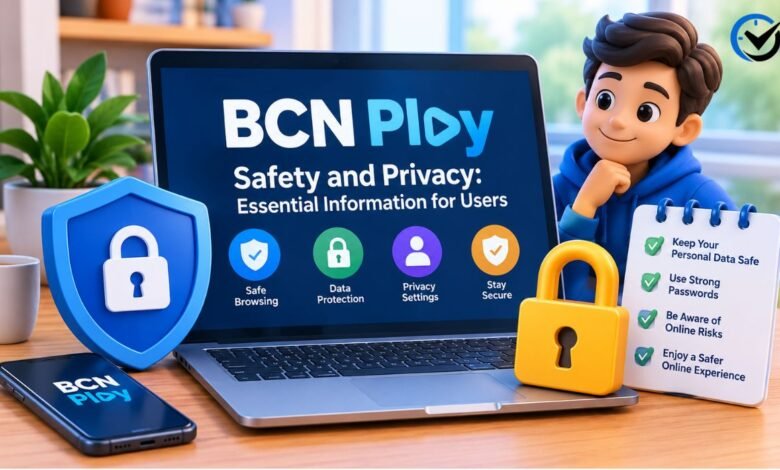
BCN Play is a name used for an entertainment subscription bundle marketed by BCN Group in India. Its packages combine access to selected streaming apps and live television channels through one subscription. Because the name can also appear in unrelated online articles or services, users should first confirm which provider and offer they are considering. This guide explains practical ways to assess the service’s safety, protect personal information, and make an informed choice before signing up or installing anything.
What BCN Play Offers
BCN Group describes BCN Play as a bundle that brings together selected entertainment apps and live TV channels. The exact apps, channels, device options, and subscription terms can differ by package. A bundle may make it easier to manage several services through one offer, but it does not automatically mean every listed app is owned or operated by BCN Group. Check which company supplies each part of the service and what access your chosen plan actually includes.
Confirm the Provider Before You Sign Up
Start by identifying the company responsible for the offer. Look for the provider’s legal or business name, customer support details, and clear information about how to subscribe. Check that the name on the payment page matches the provider or an authorized billing partner. Be careful when a social media post, messaging contact, or unfamiliar website offers a deal using the BCN Play name but does not explain who is collecting your money or providing support.
Check the Exact Package and Terms
Read the package details before paying. Confirm the subscription period, total price, included apps, channel selection, device limits, and any activation requirements. Promotional claims such as “many apps in one plan” do not explain whether each service is available in your location or whether all content is included. Save a copy of the offer and its terms. Clear records make it easier to compare what was advertised with what you receive.
Understand Who Handles Your Data
A bundled service may involve more than one organization. The seller may process your account and payment details, while individual streaming apps may collect information when you use their services. The device or app store may also handle certain data. This means privacy practices can vary across the bundle. Before subscribing, look for a privacy notice that identifies the responsible organization, explains what information it collects, and says how users can contact it about data questions.
Review the Privacy Notice
A useful privacy notice should explain what information is collected, why it is needed, how long it is kept, and whether it is shared with other companies. It should also describe how to request access, correction, or deletion where those rights apply. Read the notice before entering personal details, especially if it is difficult to find or uses vague language. If the provider does not make its data practices clear, pause and ask customer support for an explanation before proceeding.
Limit the Personal Information You Share
Provide only information needed to create and manage the account. A service may reasonably need an email address or phone number for account access, billing, or support, but requests for unrelated personal details deserve careful review. Do not send identity documents, bank details, or one-time passcodes through informal chats unless you have verified why they are required and that the request comes from an official support channel. Never share a password used for another account.
Use a Strong, Separate Password
If the service requires an account password, make it long and unique. Reusing a password from email, banking, or social media can put those accounts at risk if one service is compromised. A password manager can help create and store different passwords. If the platform offers a second verification step, consider enabling it. Keep account recovery information current and avoid saving passwords on shared devices where other people can access your browser or profile.
Pay Through a Trusted Channel
Use a payment page or method you can verify as belonging to the provider or an authorized seller. Check the name shown at checkout, the amount charged, and whether the payment is one-time or recurring. Avoid transferring money to a personal account based only on a message or screenshot. Keep your receipt and confirmation details. If the offer does not state how to cancel or request a refund, ask before paying rather than assuming the provider will resolve it later.
Be Careful With Unofficial Apps and Downloads
Install apps through the official app store for your device or follow setup instructions provided by a verified provider. Avoid files shared through random websites, social media, or messaging apps, especially if they ask you to disable device security settings. An app’s name or logo can be copied, so check the publisher and permissions before installation. If a download requests access that seems unrelated to streaming, such as contacts or text messages, consider declining and confirming the need with the provider.
Check App Permissions
Review permissions when installing or updating an app. Video services may need internet access and, in some cases, storage or local network access for a specific feature. A request for a permission that does not fit the feature should prompt a closer look. You can often deny optional permissions and still use basic functions. Check your device settings periodically to see which apps have access to your camera, microphone, location, photos, or other sensitive information.
Protect Your Home Network
A secure home network helps protect every connected device, including televisions and streaming boxes. Change the router’s default administrator password, use a strong Wi-Fi password, and install router updates when available. Avoid entering account or payment information over public Wi-Fi unless you trust the network and use a secure connection. When traveling, sign out of shared devices after use. These steps reduce the chance that someone nearby or using a shared device can access your account.
Use Shared Devices Carefully
A family television, hotel room device, or public screen may retain account details after you finish watching. Sign out when you are done, especially if other people use the device. Do not save payment details or passwords on a device you do not control. If you cannot find a sign-out option, check the account settings on your own device and remove access from unfamiliar or unused devices if the service provides that feature.
Recognize Suspicious Messages
Scam messages may imitate a streaming provider and claim that a payment failed, an account will be closed, or a special offer expires immediately. Do not click an unexpected link or provide a verification code in response. Open the provider’s known app or contact support using details from its official materials. Watch for spelling errors, unusual sender addresses, pressure to pay quickly, and requests for gift cards or direct transfers. These signs do not prove a message is fraudulent, but they warrant verification.
Keep Your Devices Updated
Operating system and app updates often include security fixes. Enable automatic updates where practical, and remove apps you no longer use. If a television or streaming box no longer receives updates, avoid using it to store payment details or sign in to sensitive accounts. Use the device’s built-in security options, such as a screen lock or account profile, when available. Keeping software current reduces exposure to known weaknesses, though it cannot guarantee complete protection.
Manage Children’s Viewing and Accounts
If children use a streaming bundle, review the parental controls available in each included app. A single subscription does not necessarily mean one set of controls covers every service. Set age-appropriate profiles or viewing limits where possible, and explain that children should not share account details or respond to strangers asking for codes. Check whether purchases, rentals, or channel changes can be made without a PIN, then enable purchase controls if the device or service supports them.
Understand Regional Availability
The listed apps and channels may not work in every country. Content rights, payment methods, language options, and app availability can vary by region. Before buying from outside the provider’s main market, confirm that the package can be activated where you live and that customer support can help you. Avoid relying on unofficial workarounds that ask you to install unknown software or misrepresent your location, since they can create account, privacy, or payment problems.
What to Do if Something Seems Wrong
If you notice an unfamiliar charge, unexpected login, or suspicious account change, act promptly. Change the account password from a trusted device and update it anywhere else it was reused. Contact the provider through a verified support channel and ask about account activity or billing. If a payment card may be exposed, contact the card issuer using the number on the card or its official app. Keep relevant receipts and messages, but do not forward passwords or verification codes.
How to Evaluate Trustworthy Claims
Look for information that is specific, consistent, and easy to verify. The provider should explain what the package includes, who manages it, how billing works, and where to get help. Treat broad claims about security, privacy, or savings as marketing unless the provider explains the details behind them. Independent reviews can offer context, but confirm that they describe the same service and package you are considering. A professional-looking page alone is not proof of trustworthiness.
A Practical Pre-Subscription Review
Before subscribing, confirm the provider’s identity, package contents, total cost, renewal terms, cancellation process, privacy notice, and support options. Verify that your device can run the required apps and that the offer is available in your region. Use a unique password and a payment method you can monitor. If any key detail is missing, contact the provider and wait for a clear answer. A few minutes of checking can help prevent billing surprises and reduce avoidable privacy risks.
Final Thoughts
BCN Play can refer to a bundled entertainment offer, but the name alone does not tell you who operates a particular website, app, or promotion. Safety depends on the exact provider, the software you install, the data you share, and the way you pay. Confirm the source, read the package and privacy terms, use official download channels, and protect your account with a unique password. If the offer is unclear or pressures you to act quickly, take time to verify it before committing.
Frequently Asked Questions (FAQs)
1. What is BCN Play?
BCN Play is used for an entertainment subscription bundle marketed by BCN Group in India. Package details can vary, so check the provider’s current offer to see which apps, channels, devices, and subscription terms apply.
2. Is BCN Play safe to use?
Safety depends on the exact provider and app you use. Verify the seller, install software from trusted sources, read the privacy terms, and avoid sharing passwords or payment details through informal channels.
3. Is BCN Play available worldwide?
Availability may depend on the provider, payment options, app support, and content rights in your country. Confirm regional access before paying, especially if you are outside the market where the package is sold.
4. Does one BCN Play subscription include every streaming app?
Not necessarily. The included apps and channels can differ by package, and some content may require a separate account or have its own restrictions. Review the exact plan before subscribing.
5. What information should I provide when signing up?
Provide only information needed to create and manage the account, such as contact or billing details when required. Ask why any unexpected request is necessary, and never share a one-time passcode or another account’s password.
6. How can I avoid fake BCN Play apps?
Check the app publisher and use an official app store or installation instructions from a verified provider. Avoid unknown files sent by message or websites that ask you to bypass your device’s security settings.
7. Can BCN Play see what I watch?
Data collection depends on the provider and the individual apps in the bundle. Review the relevant privacy notices to understand what viewing or account information may be collected and how it is handled.
8. How do I cancel a BCN Play subscription?
Cancellation steps depend on where and how you subscribed. Check the provider’s terms or account settings, and keep confirmation of your cancellation request. If you paid through an app store, cancellation may need to be managed there.
9. What should I do about an unexpected charge?
Check your receipt and subscription terms, then contact the provider through a verified support channel. If you do not recognize the payment or cannot resolve it, contact your payment provider promptly.
10. What should I do if I suspect my account was accessed?
Change your password from a trusted device, sign out of other sessions if the option is available, and contact support. If you reused that password elsewhere, change it on those accounts too.
Recommended: Hormita: An Overview of Its Meaning and Usage




One Comment