

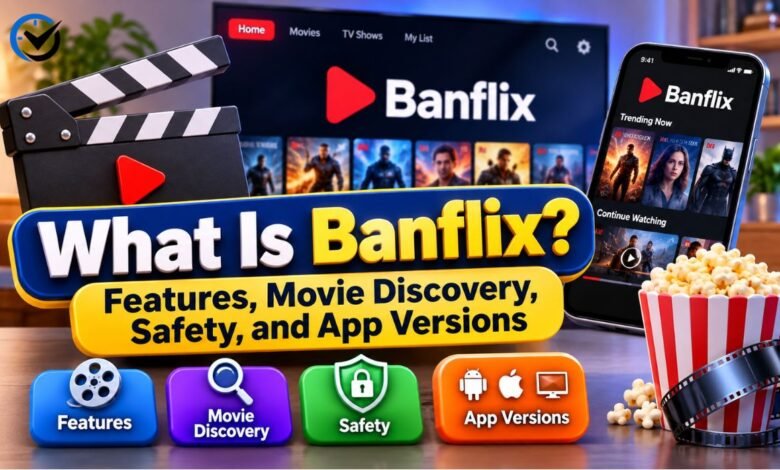
Banflix is a name that can cause confusion because it appears in connection with different apps and online listings. The Google Play app called “BanFlix: Movies and Series” presents itself as a tool for discovering films and television shows, not watching them. Other pages may describe products with the same name differently. Knowing which version a page refers to helps readers understand its features, limits, and privacy information.
What Banflix Refers To
The name Banflix does not point to one clearly established service in every online listing. The Google Play listing identifies an app by the full name “BanFlix: Movies and Series” and names AeHam Dev as its developer. Third-party pages may use Banflix for other APK files or websites. Shared branding alone does not prove that these products have the same owner, features, or safety practices.
What the Google Play App Does
The Google Play app is designed to help people explore entertainment information. Its description says users can search for movies and series, browse categories, view details such as ratings and release information, and save titles to a watchlist. It also promotes trending and upcoming titles. These functions can help someone decide what to look for elsewhere, but the listing describes Banflix as an information and discovery app.
Can You Stream Movies on Banflix?
For the AeHam Dev app, the listing says users cannot watch movies or television shows directly. It also says the app does not host, distribute, download, or provide access to copyrighted video content. That distinction matters because the name may sound like a streaming platform. If a different site or APK promises playback, treat it as a separate product until its developer and claims can be verified.
How Movie Discovery Works
A discovery app helps users find titles that might interest them. With Banflix, the listed tools include searching, browsing by category or genre, and exploring popular selections. A person might look up a film they heard about, check basic details, then save it for later. The app can organize that process, but its listing does not promise that every title will have complete information or be available to watch.
Search, Ratings, and Title Details
Banflix’s listing promotes search tools and information about titles, including ratings, genres, release details, and cast insights. These details provide a quick overview, but readers should consider where ratings and descriptions come from and whether information is current. A result in the app does not confirm that a film is available in a user’s country, nor does it show which service may carry it.
Trending and Upcoming Titles
The app also describes features for browsing popular, trending, and upcoming films or series. Such sections can offer ideas when a viewer does not have a specific title in mind. Their usefulness depends on how often the app updates its information and how it defines “trending.” Readers should treat these labels as discovery aids, rather than a guarantee that a title is new, widely watched, or accessible.
Watchlists and Favorites
The listing says users can create a personal watchlist and save favorite titles. This can make it easier to remember films or series they want to investigate later. A watchlist is an organizational feature, however, and does not mean the app stores video files or provides access to them. Before adding personal information or syncing data, users should check whether an account is needed and review the app’s privacy details.
Who Might Find Banflix Useful?
Banflix may suit someone who wants a simple place to browse entertainment information and keep track of titles. It could be useful for collecting ideas before choosing a film on a separate service. People looking for direct playback, offline downloads, or a full streaming library should understand the app’s stated limits first. Matching the app’s actual purpose to a user’s needs can prevent disappointment.
Banflix and Netflix Serve Different Purposes
Despite the similar sound of their names, Banflix and Netflix should not be assumed to be connected. Netflix is a video streaming service, while the Google Play BanFlix listing describes a discovery and watchlist tool. The listed app says it is not affiliated with a streaming platform or content provider. Readers should check the exact app and developer instead of inferring a relationship from a name.
Why Banflix Versions Can Be Confusing
Search results can mix an app-store listing with third-party APK pages that use the Banflix name. Those pages may describe different developers, package names, or functions, including streaming claims. That does not establish that they are updated versions of the Google Play app. Before relying on a review or download page, compare its exact app name, developer, source, and stated purpose with the product being discussed.
Availability and Installation
The “BanFlix: Movies and Series” app has had a Google Play listing, but listings and regional availability can change. Android users should search the exact app name in the store and verify that the developer matches the listing they intend to install. Availability in one country does not guarantee availability everywhere. Do not assume that an APK hosted elsewhere is the same app or has the same protections.
Privacy Information to Review
The Google Play Data Safety section for the listed app reports that it may collect and share app activity and device or other identifiers. It also says data is not encrypted and cannot be deleted. These are disclosures provided by the developer, not an independent security audit. They are still relevant when deciding whether to install the app, especially for readers who prefer to limit data collection.
How to Read Data Safety Details
Data safety labels describe practices reported for an app and should be read alongside its privacy policy and requested permissions. “May collect” or “may share” does not explain every situation in which data is handled, while “not encrypted” signals a point users may want to weigh carefully. Review the current store page before installing because disclosures can change as an app is updated.
Download and Device Safety
Using an official app store listing makes it easier to identify the developer and review the app’s published details, but it does not guarantee that an app is risk-free. Avoid unknown download pages that offer APK files without clear ownership or trustworthy information. Check the app name, developer, permissions, and update history. Be cautious if a download page asks you to disable device protections or install extra software.
Ads, Accounts, and Costs
The Google Play listing marks the app as containing ads. That means users may encounter advertising while using it, though the amount and format can vary. The listing should be checked for current information about purchases, subscriptions, or account requirements; do not assume that features are paid or free based on a third-party description. Read the store details before installing and review any in-app prompts carefully.
Common Limits to Keep in Mind
A discovery app can organize information, but it may not answer every viewing question. Banflix’s listing does not promise that users can play titles, locate every legal streaming option, or see complete details for every film. Information may also be delayed or unavailable. If a title matters, check a trusted movie database or the relevant licensed streaming provider for current availability and regional access.
If Banflix Is Not Working
Start by confirming which Banflix product you installed, then check whether its store listing is still available and whether an update is offered. If search or watchlist features fail, restarting the app and checking the device’s internet connection may help. Avoid downloading replacement files from unfamiliar sites just because an app stops working. For unresolved problems, use the support details shown on the verified store listing.
Alternatives for Discovery or Viewing
The right alternative depends on the task. For discovering films, comparing reviews, or organizing a watchlist, users can consider established movie databases and film cataloging apps. For watching a title, check licensed streaming services, rental stores, broadcasters, or other legitimate providers available in the user’s location. A discovery tool and a streaming service solve different problems, so compare features before choosing.
Final Thoughts
Banflix is best understood by checking the exact product behind the name. The Google Play app “BanFlix: Movies and Series” describes itself as a movie and television discovery tool with search, title details, and watchlists; it says it does not stream video. Other Banflix-branded pages may refer to different products. Verify the developer, privacy disclosures, and download source before installing any version.
Frequently Asked Questions (FAQs)
1. What is Banflix?
Banflix is a name used for entertainment-related apps or pages. The Google Play app “BanFlix: Movies and Series” helps users discover titles, review details, and manage watchlists. Other products using the name may have different developers and features.
2. Can you watch movies on the Google Play Banflix app?
No. The app’s listing says it does not stream, host, download, or provide access to movies and television shows. It is intended for discovery and information, so users need a separate source to watch a title.
3. Is Banflix the same as Netflix?
No connection is established by their similar names. Netflix provides video streaming, while the identified Google Play Banflix app describes discovery and watchlist features. Check the developer and app description to distinguish them.
4. Is Banflix available on Android?
The app named “BanFlix: Movies and Series” has appeared on Google Play for Android. Store listings can change, and availability may vary by region, so confirm the exact app name and developer before installing.
5. Is Banflix available for iPhone?
A native iPhone version of the specific AeHam Dev discovery app is not confirmed here. Check Apple’s App Store directly for a current listing, and do not assume that a website or APK page represents an official iOS version.
6. Is Banflix free to use?
The Google Play listing indicates that the app contains ads. Check its current store page for pricing, in-app purchases, or other access terms, since these details can change and third-party pages may describe another product.
7. What privacy information does Banflix disclose?
The Google Play Data Safety section says the app may collect and share app activity and device or other identifiers. It also reports that data is not encrypted and cannot be deleted. Review the latest disclosure before installing.
8. Are Banflix APK downloads safe?
An APK’s safety cannot be confirmed by its name alone. Prefer a verifiable store listing, check the developer and permissions, and avoid unfamiliar download sites that provide unclear ownership or ask you to bypass device protections.
9. Why are there different Banflix apps online?
Different developers or websites may use the same or similar name. Their products can have different functions and privacy practices. Compare the exact app name, developer, package information, and download source before trusting a page’s claims.
10. What can I use instead of Banflix?
For movie discovery, use a reputable catalog or watchlist app. To watch a film or series, check licensed streaming, rental, or broadcast services available in your country. Confirm regional availability with the provider.
Recommended: What Is GetAPKMarkets.com? A Guide to Its Content and Purpose





One Comment