

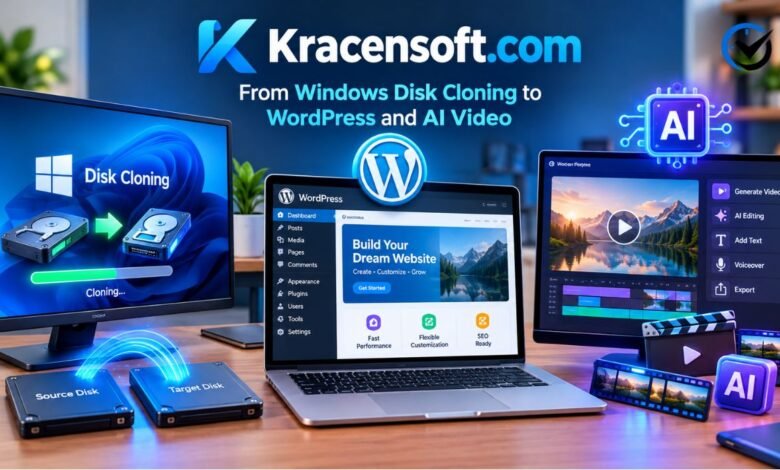
Kracensoft.com brings together technology topics that usually send readers to several different websites. Its articles cover Windows utilities, WordPress, applications, programming, social platforms, and tools for working with audio and video. Someone planning an SSD upgrade can explore disk cloning, while a website owner can read about loading speed or plugin choices. Content creators will also find discussions of video editing and artificial intelligence. These subjects share a practical purpose: helping readers understand software before deciding how to use it. The range makes the publication worth examining through its actual articles rather than through its name alone.
That name can sound like a software company, which helps explain some confusion surrounding the domain. The visible website functions as a technology publication, with categories, author bylines, dated posts, and guides about products from different developers. Reading an article about a cloning program does not mean the publication created that program. Likewise, a discussion of AI video tools describes services with their own accounts, features, and payment terms. Understanding this relationship gives visitors a clearer starting point and helps them distinguish the website’s editorial content from the software discussed within it.
What the Website Covers
The main navigation groups content into WordPress, apps, social networks, programming, and software tools. The software section further separates video, audio, and Windows topics. This structure accommodates different tasks without requiring every visitor to read the same material. The Windows archive includes disk cloning and file conversion, while WordPress articles address slow websites, fonts, and plugins. Other posts examine Discord alternatives, recording computer audio with Audacity, and content creation software. These examples provide a more accurate picture of the publication than a broad description such as “a site about technology.”
Its archive also mixes practical tutorials with news and product discussions. Those formats serve different needs: a tutorial explains a task, a comparison introduces choices, and a news article describes a development at a particular time. Readers should therefore consider the date and format before applying the information. A discussion published in 2025 can still explain a useful concept, even when screenshots or subscription limits have changed. Similarly spelled domains should be treated separately, because an extra letter can lead to a different website. Product details attributed to another domain should not automatically be carried over.
Windows Disk Cloning and Drive Upgrades
Disk cloning is one of the publication’s concrete subjects. Its Windows 11 cloning article discusses DiskGenius and Clonezilla, two programs used for copying disks or partitions. A system clone can include Windows, installed applications, settings, and personal files, depending on the selected method and partitions. This makes cloning relevant when replacing an existing drive with an SSD and trying to preserve the current setup. DiskGenius offers cloning and system migration features, while Clonezilla provides an open-source environment for imaging and cloning. Their interfaces and workflows differ, so a reader’s comfort with the process matters.
A useful cloning decision starts with the hardware and data involved. The receiving drive needs sufficient capacity for the chosen method, and existing data on it may be overwritten. Keep an independent copy of important files before proceeding. Clonezilla works with partitions that are unmounted, so its workflow differs from tools that can migrate a running Windows installation. After migration, check that the replacement drive boots and that expected files and applications are available before reusing the original disk. A clone preserves a particular state; ongoing backups remain necessary as new files and changes accumulate.
WordPress Performance and Plugin Choices
The WordPress section focuses on problems familiar to people who run their own websites. Its article about slow loading discusses images, hosting, caching, databases, themes, and plugins. These factors can affect performance in different ways. Large images increase the amount of data visitors download, while server resources influence how quickly pages are prepared. Caching can reduce repeated processing by serving saved versions of suitable pages. The practical lesson is to identify what makes a particular page slow before changing settings. Installing another performance plugin without understanding the existing setup can make troubleshooting harder.
Plugin coverage adds another layer, with discussions of tools for forms, backups, security, caching, and online stores. Examples include WPForms, WP Rocket, Akismet, and WooCommerce. Their functions differ, and inclusion in a roundup does not make every product necessary for every website. A simple personal blog has different requirements from a store handling orders. Choose features that solve a defined problem, review compatibility, and test important changes on a separate test copy when possible. Measure loading behavior before and after changes, and check forms, navigation, and checkout functions. Plugin quantity alone is an incomplete measure of performance.
AI Video and Content Creation
Kracensoft.com also discusses content creation through tools including Invideo AI, Pictory, Lumen5, Descript, and Adobe Premiere Pro. These products should not be treated as interchangeable simply because they include automated features. Invideo supports video creation from written instructions, while Pictory offers ways to turn scripts or articles into videos. Descript connects audio and video editing with a transcript, and Premiere combines timeline editing with features such as text-based editing. Lumen5 appears in the same roundup as an option for turning written material into short visual content. The useful question is what material you already have: an idea, a written article, a recorded interview, or footage needing detailed adjustments.
The next question is how much control the finished project requires. Turning an article into a short video calls for selecting the central message, arranging scenes, and checking narration and captions. Editing an interview involves preserving meaning while removing unwanted sections. Generating new visuals introduces another set of decisions about style, consistency, and suitability. Automated output still needs review: a caption can misspell a name, a stock clip can misrepresent the subject, or a summary can omit a necessary qualification. Test a small project before committing to a workflow, and check export quality, watermarks, usage limits, and media permissions.
Audio, Apps, and Everyday Communication
The broader archive connects these subjects with everyday digital tasks. Its audio coverage includes Audacity recording, audio-to-video conversion, and business communication through internet calling services. Social platform guides discuss Discord alternatives and changing a Zoom background. App coverage includes an iOS calendar alarm utility and an interactive radio application. The calendar utility is KeyAlarm, while Farwave places radio streams on a globe. These examples show another aspect of app coverage: explaining what a specialized application changes in everyday use. Together, these posts extend the website beyond computer maintenance or website administration. Someone making a narrated tutorial may need audio recording, editing, and a suitable video format in the same project. Browsing related categories can reveal those connections, although each program still has its own setup requirements.
Final Thoughts
Kracensoft.com is easiest to understand through the tasks its articles address. Windows disk cloning, WordPress performance, AI video creation, audio recording, and communication tools give the publication a practical focus across several areas of technology. Its range can help readers discover software and understand unfamiliar workflows without treating every article as a complete instruction manual for every situation. Start with a specific task, choose the relevant category, and distinguish general explanations from details tied to a particular version. That approach makes the material more useful while keeping decisions grounded in the computer, website, or creative project at hand.
Frequently Asked Questions (FAQs)
1. What is Kracensoft.com used for?
It is used as a reading resource for technology guides, software discussions, and updates. Its content spans Windows tools, WordPress, programming, apps, social platforms, and audio and video software. Readers can explore an unfamiliar program, understand a common problem, or compare possible approaches to a task. The appropriate article depends on what they want to accomplish and how much background they already have.
2. Does the website develop DiskGenius or Clonezilla?
The website discusses these programs in its disk cloning coverage. That editorial relationship does not establish ownership or development of either product. DiskGenius has its own developer and product documentation, and Clonezilla is a separate open-source project. Installation files, release details, compatibility requirements, and support information should be checked with the relevant software provider, especially when preparing to copy a system drive.
3. Is disk cloning the same as backing up files?
Cloning copies a disk or partition for purposes such as migration or restoring a particular system state. A file backup preserves selected files and may keep earlier versions, depending on the backup system. A clone can contribute to a recovery plan, but it becomes outdated as the original computer changes. Choose protection according to whether you need to restore individual documents, an entire installation, or both.
4. Can free cloning software move Windows to a smaller SSD?
Some tools support this, provided the selected data fits and the program can adjust the destination layout. DiskGenius describes support for migration to smaller drives. Other methods impose stricter partition-size requirements, so the same answer does not apply to every program. Check the specific migration mode and instructions. A smaller drive’s available capacity must accommodate the data and system partitions being transferred.
5. How should beginners approach the WordPress guides?
Begin with one observable problem, such as slow image loading, failed form submissions, or missing backups. Record the current settings and preserve a usable backup before making changes. Test one adjustment at a time so you can identify its effect. If possible, use a separate test copy of the website. This approach helps you learn which change solves the problem without introducing several unknowns together.
6. How do I choose among the video tools discussed?
Choose according to your starting material and editing needs. A written script or article suits a different workflow from an existing interview recording. Transcript-based editing can help with spoken material, while a timeline editor offers detailed control over clips. Compare a short sample project in the tools you are considering, looking at the final result and the effort required to correct it.
7. Can Audacity record sound playing on a Windows computer?
Yes. Audacity supports recording computer playback through a suitable loopback input. On Windows, this commonly involves choosing Windows WASAPI and the loopback device associated with the output you are listening through. Make a short test to confirm the source and volume. Desktop recording can also capture notification sounds, so close unnecessary applications and review the recording before using it in a project.
8. Are audio-to-video converters always generating new AI footage?
No. A converter may combine an audio track with a still image, a colored background, captions, or a moving waveform. Those results can be useful for sharing audio on a video platform, but they differ from generating new moving scenes. Determine what the particular tool produces and how much editing it allows. The label “AI” alone does not explain the finished output.
9. How can I tell whether an older software guide still applies?
Match the guide to your operating system, application version, and intended task. Check whether the controls, feature names, and license conditions still agree with current product information. Older explanations can remain helpful for understanding concepts, but exact steps deserve closer attention when handling storage or website settings. If the interface differs substantially, look for updated instructions before trying to translate the old process yourself.
10. Do the tools discussed all have free versions?
Their access models differ. Some programs are open source, some offer free editions with feature limits, and others use trials or subscriptions. Video services may also limit exports, resolution, or generation credits. Confirm that the available plan supports the task you actually need to finish. Being able to create or preview a project does not necessarily mean you can export it under the same terms.
Recommended: FintechZoom.com Markets Connecting Stock News, Bond Yields, Forex, and Commodities




One Comment