
Fontlu Review and Guide: Features, Font Selection, Downloads, Licensing, and Safety

Choosing the right font can have a bigger impact on a project than many people expect. Typography affects readability, branding, mood, and the overall impression of a website or design. Fontlu has gained attention as an online resource for exploring typefaces, previewing text, and finding downloadable fonts. At the same time, information about the platform can be inconsistent, with some online descriptions presenting it as a much broader typography system than its currently visible public tools suggest. This guide takes a practical look at Fontlu, including its font-preview features, selection process, downloads, licensing considerations, safety, and alternatives, so readers can understand where it may fit into a modern design workflow.
What Is Fontlu?
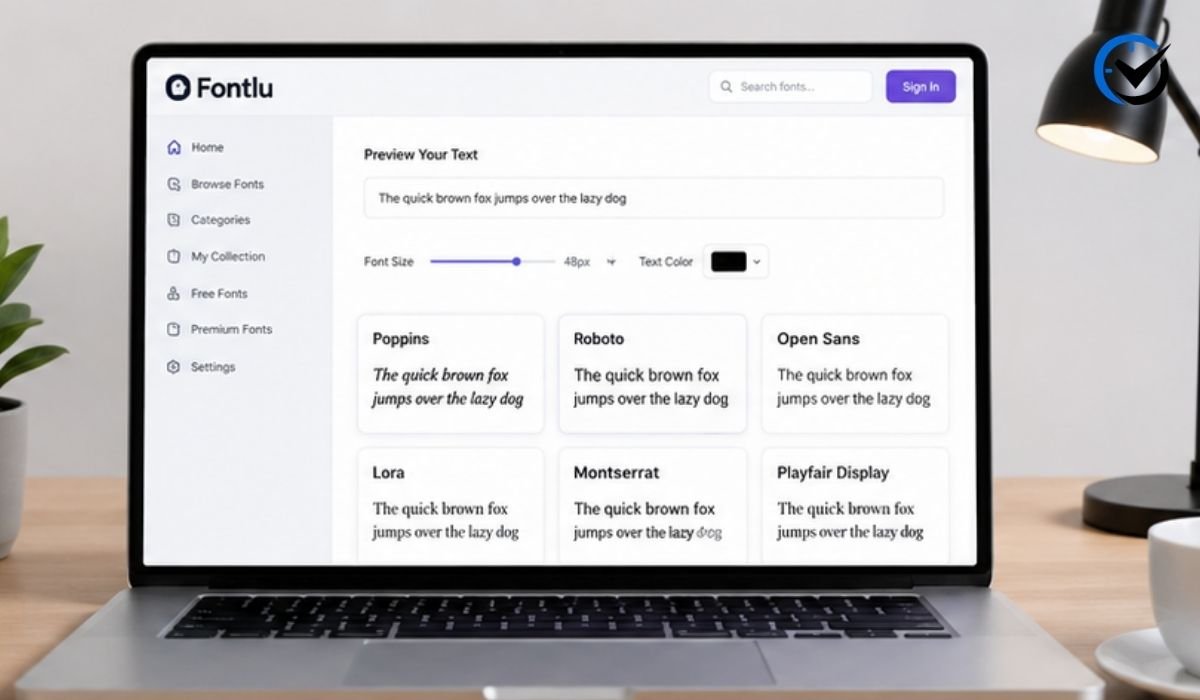
Fontlu is best understood as an online font resource that helps users explore and preview typefaces. Its public-facing tool allows visitors to enter their own text, select a font, adjust the font size, and see how the wording appears. The platform also presents fonts as resources for personal and professional creative work. This makes it useful during the early stages of a project, when a designer wants to compare different styles before installing a font or committing to a particular visual direction. It should not, however, be confused with advanced desktop applications designed to create completely new typefaces.
What the Current Platform Offers
The most useful way to evaluate a relatively new or lesser-known font website is to separate visible functions from claims made elsewhere. The publicly accessible Fontlu interface provides a straightforward text-preview experience, while descriptions of the platform also mention free and premium font resources. Some third-party discussions describe more advanced features such as intelligent recommendations, extensive font management, collaboration, or integrations. Those claims should be treated carefully unless they can be confirmed through the platform itself. For most users, the practical value currently comes from exploring fonts, testing text, and determining whether a typeface suits a particular creative purpose.
Font Selection and Previewing
Previewing a font with real project text is one of the easiest ways to avoid a poor typography choice. A typeface may look attractive when displayed with a short sample alphabet but behave very differently when used for a business name, article heading, product description, or social media caption. Try the actual wording you expect to use and examine uppercase letters, lowercase characters, numbers, punctuation, and spacing. A browser-based preview can make this comparison faster because you can focus on the appearance of the text without first installing multiple font files. The strongest choice is usually not the most decorative one, but the font that communicates the right personality while remaining easy to read.
Understanding Different Font Styles
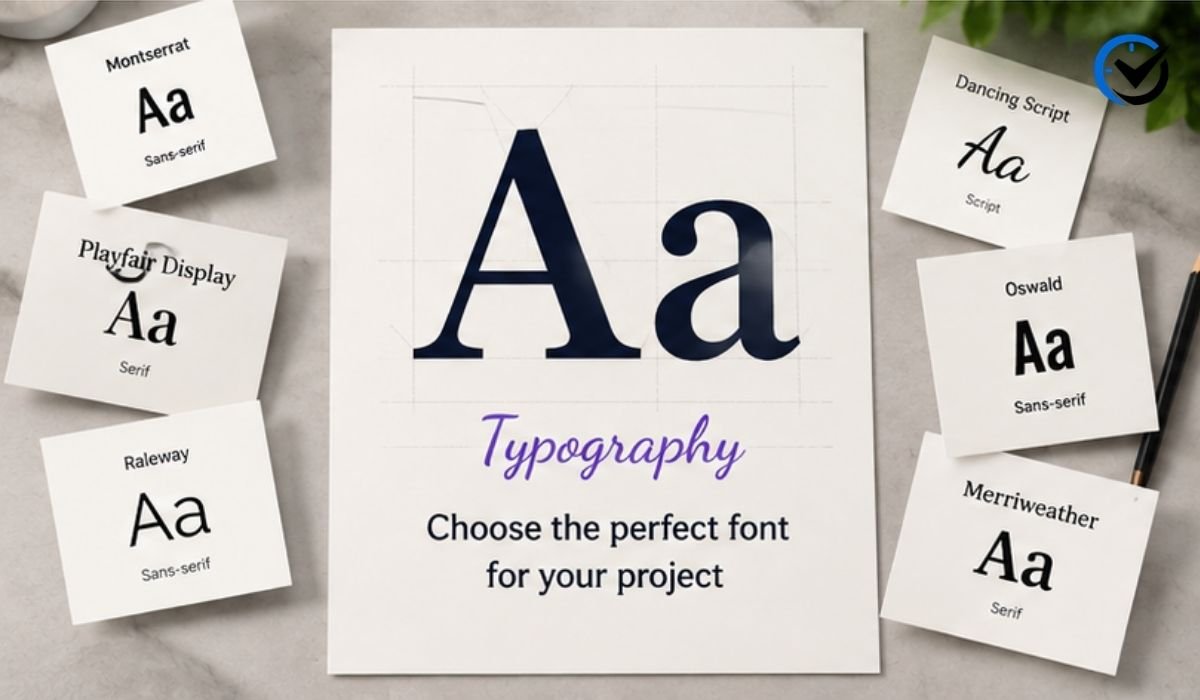
Knowing basic font categories makes selection much easier. Serif fonts contain small finishing strokes and often create a classic, editorial, or traditional impression. Sans-serif fonts have cleaner letter shapes and are common in modern websites, applications, presentations, and branding. Script and handwritten fonts can provide personality but may become difficult to read when used extensively. Display fonts are generally designed for attention-grabbing headlines rather than long paragraphs. When using a resource such as Fontlu, these differences provide a useful starting point. Consider the audience, purpose, screen size, and surrounding design instead of choosing a typeface based only on whether it looks fashionable.
Downloads and Font Formats
Font downloads commonly use formats such as TTF and OTF. TrueType fonts are widely supported by operating systems and many creative applications, while OpenType fonts can provide additional typographic capabilities when those features are included by the designer. Websites may instead use formats such as WOFF or WOFF2 for browser delivery. The format, however, says nothing about whether you have permission to use the font. A TTF file can have strict restrictions, just as an OTF file can be available under an open license. Before installing or distributing a downloaded font, check its source, file type, and licensing information.
Why Font Licensing Matters
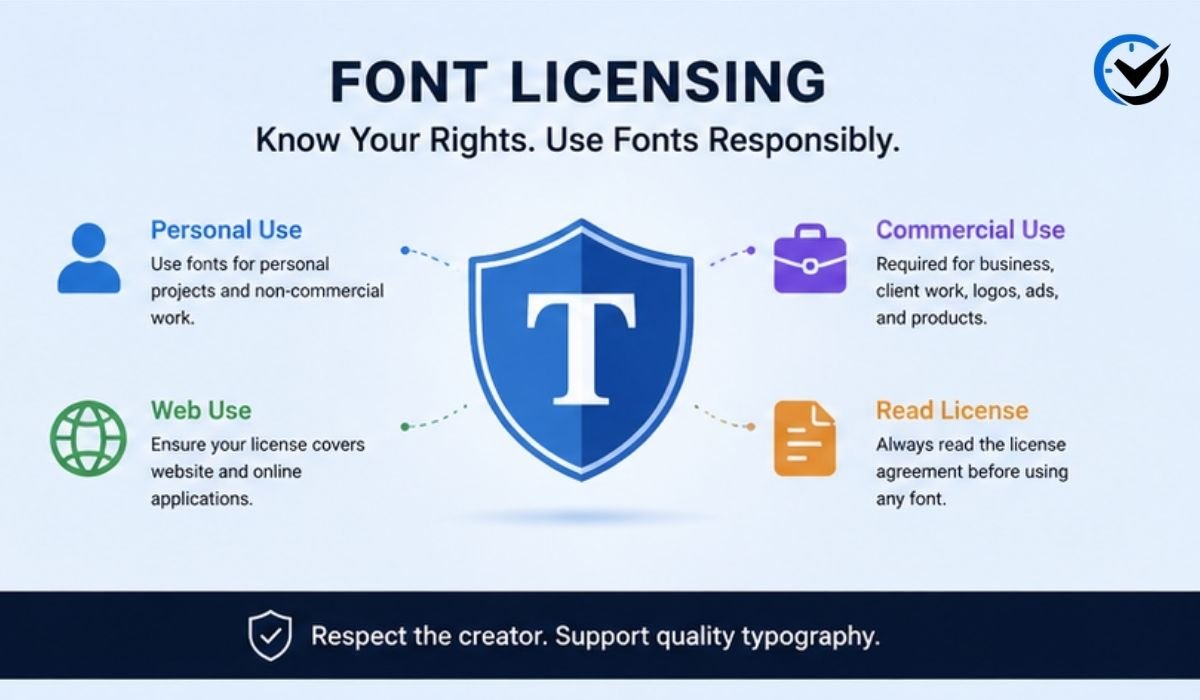
Font licensing is one of the most important parts of downloading typefaces. A font being free to download does not necessarily mean it is free for every purpose. Some fonts are available for personal use but require a commercial license for business projects. Others are distributed under open-source licenses that allow broad commercial use, while premium typefaces may have separate permissions for desktop, web, applications, advertising, or merchandise. A business logo, paid advertisement, client website, product package, and mobile application can all raise different licensing questions. The safest habit is to read the license for the exact font and retain that information with the downloaded file.
Personal Versus Commercial Use
Personal projects usually have fewer licensing concerns, but users should still follow the stated conditions. Commercial work requires greater attention because a font may appear in a company identity, client campaign, product, website, advertisement, or physical merchandise. Even when the font itself is not being sold, its use may require a commercial license. If a typeface found through Fontlu is actually distributed by another creator or foundry, the original license remains the important authority. Designers working for clients should be especially careful because they may need to demonstrate that the assets used in a project were properly licensed.
Is Fontlu a Font Creator?
The phrase “Font Creator Tool” can easily lead to confusion. A true font-creation program normally lets designers draw glyphs, edit letter shapes, control spacing and kerning, manage typographic features, and export an actual font family. The public Fontlu preview tool is considerably simpler. It allows users to enter text, select an existing typeface, adjust the text size, preview the result, and copy the displayed text. That makes it a font-preview utility rather than evidence of a complete type-design application. Anyone wanting to create an original typeface from scratch would need dedicated font-editing software.
Using Downloaded Fonts in Design Software
After obtaining a properly licensed font, the next stage usually takes place outside the website. TTF and OTF files can generally be installed through the operating system and then become available to compatible design applications. The exact installation process varies between Windows, macOS, and individual programs. If a newly installed font does not immediately appear, restarting the design application may solve the problem. Website projects are different because installing a desktop font does not automatically make it available to visitors. Webfont implementation requires appropriate files, technical setup, and a license that permits online use.
Choosing Fonts for Websites
Website typography needs more than visual appeal. A font should remain readable on small screens, support the characters required by the target audience, and work well at different sizes. International websites should pay particular attention to accented characters and language coverage. Designers should also consider font weight, line spacing, loading performance, and paragraph width. A typeface that looks excellent in a large preview may become tiring when someone reads several hundred words on a smartphone. Testing the actual website content is therefore more useful than judging a font from a short demonstration phrase.
Fontlu Compared With Google Fonts
Google Fonts is a well-established resource with a large collection of open-source typefaces and strong support for web development. Its licensing information is clearly documented, making it a popular choice for websites and applications. Fontlu serves a somewhat different purpose when users want to browse and preview fonts through a simple online interface. The two platforms should not be treated as identical. Google Fonts is particularly useful when a project needs a documented open-source font and straightforward web implementation. Fontlu can be useful during the exploration stage when a designer is comparing different visual styles before making a final decision.
Fontlu Compared With Adobe Fonts
Adobe Fonts is closely connected to the Creative Cloud ecosystem and is designed for professional creative workflows. It provides access to a large collection of typefaces under Adobe’s licensing framework and works conveniently with supported Adobe applications. Fontlu does not appear to occupy exactly the same role. A lightweight browser preview can still be helpful even when the final typeface is obtained through Adobe Fonts, a professional foundry, or another established provider. The right choice depends on the task. Casual experimentation may benefit from simplicity, while production work often requires stronger integration, documentation, and licensing support.
Safety When Downloading Fonts
Font files should be treated like any other downloaded digital asset. Users should be cautious if a supposed font download redirects through unexpected pages, requests unrelated software, or provides an executable file instead of a normal font or archive. Keeping security software enabled and scanning unfamiliar downloads is sensible. It is also better to download only the files you actually need rather than collecting large numbers of unknown packages. These precautions do not mean that every unfamiliar font website is unsafe. They simply reduce unnecessary risk when downloading files from a service that may not have the same reputation or history as a major font provider.
Checking the Source Before Installation
Before using an unfamiliar typeface professionally, identify its creator or original distributor whenever possible. Look for the family name, designer or foundry information, license terms, and source of the downloadable file. If a page provides little information about who created the font or what permissions apply, commercial use deserves extra caution. Keeping the original archive and license information can also be valuable later, particularly for client projects. Good font management is not simply about collecting attractive typefaces. It is about knowing where each file came from and what you are legally allowed to do with it.
Who Can Benefit From Fontlu?
A simple font-preview resource can be useful to many different users. Graphic designers can test typefaces for logos, posters, presentations, and social graphics. Website creators can compare heading and paragraph styles before implementing them. Small businesses can experiment with branding ideas before purchasing a larger font family. Bloggers and content creators can test titles and promotional text. Students can also use font previews to understand how typography changes the character of identical words. The platform is most valuable when used as one step in a larger decision-making process rather than as a replacement for professional design software or licensing research.
Common Font Selection Mistakes
One common mistake is choosing a font because it looks impressive in a short preview. Another is combining too many unrelated typefaces in the same design, which can make the result feel disorganized. Ignoring language support can also cause problems for international audiences. Some users download multiple font weights without checking whether the license covers their intended project. Others assume that anything labeled “free” can automatically be used for business purposes. Installing hundreds of fonts can create another problem by making future selection more difficult. A smaller collection of well-tested, properly licensed families is often much more useful than a huge folder of unknown downloads.
Is Fontlu Worth Using?
Fontlu can be worth exploring if your main goal is quick font discovery and text previewing. Its relatively simple approach can be helpful when you want to test typography without opening a complex design application. However, users should keep their expectations realistic. Public information about the platform’s ownership, independent user feedback, and some advanced capabilities described by third-party websites remains limited. For that reason, the best approach is to judge the service by the functions you can actually verify and to check the license and source of every font separately. For important commercial projects, established font libraries and professional foundries may remain preferable.
Final Thoughts
Fontlu is best viewed as a practical starting point for exploring typography rather than a replacement for professional font editors, licensing resources, or established font libraries. Its visible preview functionality can help users compare typefaces with their own text and make more informed design decisions before downloading or installing anything. The most important point is that font selection and font permission are two separate issues: a typeface may look perfect while still being unsuitable for a particular project under its license. Check the source, confirm usage rights, test real content, and consider readability across devices and languages. With those habits, a lightweight font resource can become a useful part of a careful and effective typography workflow.
Frequently Asked Questions
1. What is Fontlu mainly used for?
Fontlu is mainly useful for exploring typefaces and previewing text in different fonts through an online interface. It can help users decide whether a font suits a headline, business name, branding concept, or other design before moving into professional design software.
2. Is Fontlu completely free?
The public platform presents both free and premium font resources. Whether a particular typeface costs money depends on the individual font and its distribution terms. Users should check the information provided for each font rather than assuming the entire collection follows one pricing model.
3. Can fonts found through Fontlu be used commercially?
Some may be, while others may not. Commercial permission depends on the specific license attached to the typeface. Always check whether the license covers client work, logos, websites, advertisements, packaging, applications, or merchandise before using the font professionally.
4. What is the difference between TTF and OTF fonts?
TTF and OTF are common digital font formats. TTF is broadly compatible with computers and many applications, while OTF can support additional typographic features when they are included by the font designer. Neither format automatically gives you permission to use a font.
5. Can Fontlu create a completely new font?
The currently visible public tool is primarily a font-preview tool rather than a full typeface editor. It allows users to enter text, choose a typeface, adjust its size, and preview the result. Creating original letterforms requires specialized font-design software.
6. Is Fontlu suitable for beginners?
Yes. Its simple preview approach can help beginners understand how different font families change the appearance and mood of identical text. It can be particularly useful for learning the difference between serif, sans-serif, script, and display styles.
7. Should I install every font I download?
No. Installing too many fonts can clutter your system and make future design decisions harder. Keep only fonts that you genuinely need, organize the files into sensible folders, and retain licensing information with commercially important typefaces.
8. Is Fontlu safe for downloading fonts?
Users should apply normal download precautions. Check file types, avoid unexpected executable installers, keep security software active, and inspect unfamiliar archives before opening them. It is also wise to verify the original creator and license before using a downloaded font professionally.
9. Is Fontlu better than Google Fonts?
Neither platform is automatically better for every purpose. Google Fonts is particularly strong for documented open-source typefaces and web implementation. Fontlu can be useful for quick font exploration and browser-based previews. The best option depends on the project’s design, technical, and licensing requirements.
10. What should I check before using a Fontlu font?
Check the font’s creator or distributor, license terms, file format, character and language support, and whether the license covers your intended use. For commercial work, save the license information alongside the font so you can confirm your rights later if questions arise.
Recommended: Yalla Choy: Meaning, Origin, Uses, Cultural Context




One Comment