
Performance Tuning Toolkit: Best Practices for Optimizing Application Efficiency

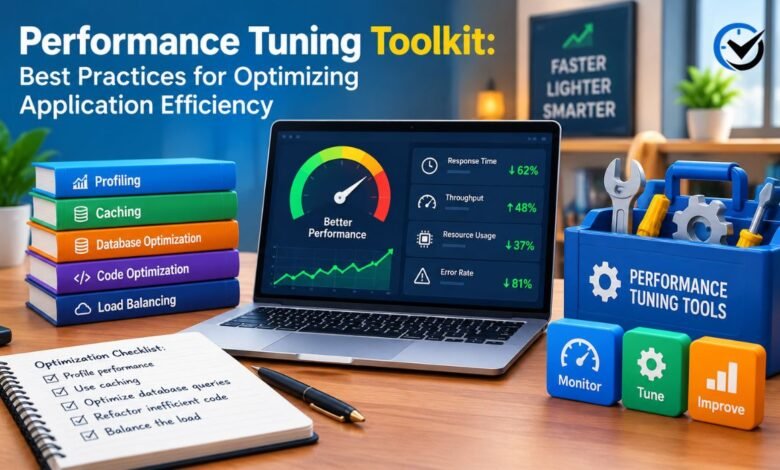
Every application starts life feeling fast. Then real users arrive, data grows, new features pile up, and pages that once loaded instantly begin to drag. Slow software costs money, frustrates customers, and wears down the people who maintain it. A well-built performance tuning toolkit gives teams a calm, repeatable way to deal with this problem instead of guessing. This article explains the habits, tools, and checks that help you make applications faster and steadier. It is written in plain language, so developers, managers, and curious beginners can all follow along and apply the ideas to their own projects.
What Is a Performance Tuning Toolkit?
A performance tuning toolkit is a collection of methods, measurements, and software tools used to find slow spots in an application and fix them in a safe order. It is not a single product you install. Think of it as a workshop: some tools measure, some inspect, some test, and some help you compare results before and after a change. The goal is application efficiency, which simply means getting more useful work done with less time, memory, and processing power. A good toolkit also includes habits, such as writing down what you changed and why. Teams of any size can build one, starting small.
Set Clear Goals and Measure a Baseline
Tuning without a target is just tinkering. Before touching any code, decide what “fast enough” means for your users. It might be a page that loads in under two seconds, an API that answers in a few hundred milliseconds, or a nightly job that finishes before staff arrive. Then record a baseline: the current response time, error rate, and resource use under normal traffic. Without these numbers, you cannot tell whether a change helped or hurt. A baseline also protects you from chasing problems that users never notice while real pain points stay hidden.
Use Profiling to Find the Real Bottleneck
Most slowdowns come from a small part of the system. A profiler shows where your application spends its time, down to individual functions, database calls, or network requests. Application performance monitoring tools add a wider view by tracing a single request across many services. The key habit is to trust evidence over instinct. Developers often blame the code they wrote last, yet the true cause may be a missing index, a slow third-party service, or a loop that runs far more often than anyone expected. Fix the biggest delay first, then measure again.
Write Efficient Code and Choose Better Algorithms
Clean, efficient code is the foundation of everything else. Small choices add up, such as picking a data structure that matches how you search, avoiding repeated work inside loops, and loading only the data you need. An algorithm that takes ten times longer as data grows will eventually overwhelm even powerful hardware. Readability still matters, so avoid clever tricks that save a few microseconds but confuse the next person. Optimize the hot paths that profiling reveals, and leave the rest simple. Code that is easy to understand is also easier to improve later.
Tune Database Queries and Indexes
Databases are a common source of delay because every request often depends on them. Start by reviewing slow queries and reading their execution plans, which explain how the database finds your data. Adding the right index can turn a search that scans millions of rows into one that jumps straight to the answer. Be careful, though, since extra indexes slow down writes and use storage. Avoid fetching rows one at a time when a single well-written query can return them together. Archive old data, and keep table statistics current so the database can plan wisely.
Use Caching to Avoid Repeated Work
Caching stores the result of expensive work so the next request can reuse it. It can happen in the browser, on a content delivery network, inside the application, or in a fast in-memory store. The hard part is knowing when stored data is stale. Decide how long each item can safely live and what should clear it, such as an update to the original record. Cache things that are read often and change rarely, like product lists or settings. Caching personal or fast-changing data needs extra care, because showing the wrong information is worse than being slow.
Manage Memory and System Resources
An application can be slow because it is starved of memory, processor time, disk speed, or network capacity. Watch for memory leaks, where objects are kept long after they are needed, causing usage to creep upward until the system crashes or slows. Garbage collection pauses, too many open connections, and oversized log files are other quiet troublemakers. Set sensible limits for thread pools and connection pools so one busy feature cannot starve the rest. Resource graphs over several days are especially helpful, because slow trends are easy to miss when you only look at a single moment.
Improve Network and Front-End Speed
Users judge speed by what they see and feel, so front-end work matters as much as server work. Compress images, remove unused scripts, and load noncritical files after the main content appears. Fewer network requests and smaller responses help people on slow mobile connections, which is a large share of users worldwide. Keep servers close to your audience, and reuse connections when possible. Measure real experience, such as how soon the main content shows and how quickly buttons respond, rather than relying only on server timings that never reach the person holding the phone.
Test Under Load Before Problems Reach Users
Load testing shows how your application behaves when many people use it at once. Stress testing goes further, pushing past expected limits to see where and how the system fails. Run these tests in an environment that resembles production, using realistic data and traffic patterns. Watch for response times that climb sharply, errors that appear suddenly, or queues that never empty. Repeat the tests after major changes so regressions are caught early. Many teams add a few automated performance checks to their release process, which keeps small slowdowns from quietly building up over months.
Avoid Common Tuning Mistakes
The most common mistake is optimizing too early, spending days on code that barely affects users. Another is changing several things at once, which makes it impossible to know what worked. Some teams chase a single impressive number while ignoring reliability, or add hardware to hide a problem that returns later. Others forget to test on realistic data, so a fix that looks perfect on a laptop fails in production. Change one thing at a time, record the result, and keep the ability to roll back. Patience and discipline beat heroic last-minute fixes.
Final Thoughts
Performance work is less about secret tricks and more about steady habits: set a goal, measure honestly, find the true bottleneck, change one thing, and check the result. A solid performance tuning toolkit supports each of those steps and grows with your application. Start small with a profiler, basic monitoring, and a simple load test, then add more as your needs change. Faster software saves money, earns trust, and makes daily work calmer for everyone involved. Treat tuning as a regular part of development rather than an emergency, and your applications will stay quick as they grow.
Frequently Asked Questions (FAQs)
1. Who needs a performance tuning toolkit?
Anyone responsible for software that real people depend on. Developers use it to catch slow code early, operations teams use it to keep systems steady, and even small websites benefit from basic monitoring and testing.
2. How do I know if my application is slow?
Check response times, error rates, and page load measurements, then compare them with your baseline. Also listen to users. Complaints, abandoned checkouts, and support tickets are often the earliest warning signs.
3. What is the difference between profiling and monitoring?
Monitoring watches your system continuously and alerts you when something changes. Profiling is a short, closer look that shows which functions or queries use the most time. Monitoring finds the problem, and profiling explains it.
4. Should I optimize everything in my application?
No. Focus on the paths users touch most and the slowest steps you can measure. Once those meet your goals, stop and move on.
5. Does adding more servers fix performance problems?
Sometimes, but often only temporarily. Extra servers do little if the real cause is a slow query or inefficient code, and they raise costs. Find the cause first.
6. How often should performance be reviewed?
Review key metrics weekly or monthly, and run deeper checks after major releases or traffic spikes. Regular reviews catch small slowdowns while they are still easy to fix.
7. Is caching always a good idea?
No. It works best for data that is read often and changes rarely. For data that must be exact every time, such as account balances, it can cause more problems than it solves.
8. What metrics matter most when tuning an application?
Start with response time, throughput, and error rate. Add processor, memory, and disk use to find causes, and look at slower percentiles so you see how the unluckiest users are treated.
9. Can small teams build an effective toolkit on a budget?
Yes. Many profilers, monitoring tools, and load testing programs are free or open source. Start with a few basics and add paid tools only when a clear need appears.
10. How long does performance tuning usually take?
A simple fix, like adding an index, can take an hour, while deeper design problems can take weeks. Tuning is ongoing, so plan short, focused rounds with clear goals.
Recommended: YWMLFZ 48W Cordless Evaluated: Design, Power & Reliability





One Comment