

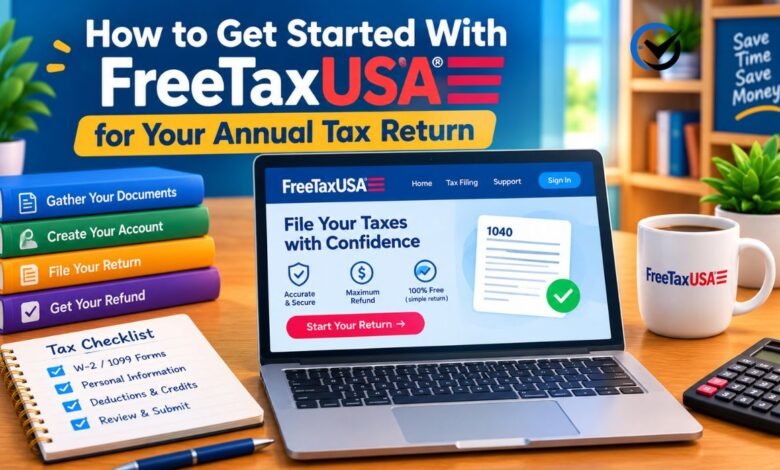
Filing an annual tax return can feel complicated, especially if you are using an online tax service for the first time. FreeTaxUSA is a web-based service for preparing and filing U.S. federal and state income tax returns. You answer questions about your income, household, and expenses, then review the information before submitting your return. This guide explains how to prepare, create an account, enter your tax details, and check your return before filing. It also covers important limits and decisions to consider. Tax rules and product features can change, so confirm current details within the service and with official tax guidance for the year you are filing.
Understand What the Service Does
FreeTaxUSA guides users through preparing a U.S. income tax return. The service uses your answers to populate tax forms and calculate figures, but you remain responsible for providing accurate information and reviewing the result. It may support common situations such as wages, interest, unemployment compensation, self-employment income, deductions, and tax credits. The forms available depend on the tax year and your circumstances. It is not a general tax-filing service for people who do not have a U.S. filing obligation, and it does not replace advice from a qualified tax professional when your situation requires specialized judgment.
Check Whether It Fits Your Situation
Before opening an account, consider how complex your return is and what kind of help you may need. A straightforward return with wage income and a few common tax documents may be manageable through guided software. A return involving several businesses, foreign accounts, complex investments, rental properties, or unresolved tax matters may require more research or professional support. The service’s current package details, included forms, and optional paid features should be checked before you begin. Do not assume a product is free for every form of filing simply because its name includes “Free.”
Know Which Tax Year You Are Filing
A U.S. income tax return generally reports income from a particular calendar year and is filed the following year. For example, a return filed in one year usually covers income earned in the previous year. Selecting the correct tax year matters because tax brackets, deduction amounts, eligibility rules, and forms can change. If you are filing a late return, an amended return, or a return for an earlier year, make sure you choose the correct year and follow the instructions for that specific return. Do not enter current-year information into an older-year filing by mistake.
Gather Your Documents Before You Start
Collect the records that describe your income, taxes paid, deductions, and credits before answering the software’s questions. Common documents include Forms W-2 from employers, Forms 1099 for certain types of income, records of estimated tax payments, and information about health coverage or education expenses when relevant. You may also need last year’s return, bank details for direct deposit or payment, and Social Security numbers for everyone included on the return. Not every filer needs every document. Use your own records and the forms you receive rather than estimating amounts from memory.
Create an Account Carefully
Go to the service’s official website and create an account using an email address you can access. Choose a strong, unique password, and use any available account-protection options. Avoid starting from an unsolicited email or advertisement that asks you to provide sensitive details. Once signed in, check that the tax year shown on your account is the one you intend to file. Account setup is not the same as submitting a return. You can usually save your progress and return later, but sign out on shared devices and avoid storing tax documents where other people can access them.
Enter Personal and Household Information
The interview typically begins with questions about your name, address, filing status, and household. Read each question closely, especially those about marital status, dependents, and whether another person can claim you as a dependent. These answers can affect eligibility for credits, deductions, and filing statuses. A child or relative does not automatically qualify as a dependent just because they live with you or receive support from you. If you are unsure, review the applicable tax-year rules before continuing. Enter identifying details exactly as they appear on official records to help avoid processing delays.
Add Income One Source at a Time
The income section is easier to manage when you work through one document at a time. Compare each entry with the original tax form, paying attention to the tax year, payer information, and amounts in specific boxes. Wage earners commonly begin with Forms W-2. Other filers may need to report interest, dividends, retirement distributions, unemployment benefits, contract work, or business income. Some income may not arrive on a tax form, so keep records of payments and expenses. Do not leave out income simply because a form has not arrived; investigate missing documents and use reliable records instead.
Handle Self-Employment and Other Non-Wage Income
If you earned money from freelance work, a small business, or contract services, your return may require more than entering a single income figure. Keep records of payments, business expenses, and any estimated tax payments you made during the year. Separate business costs from personal spending, and claim only expenses that meet the relevant tax rules. Platform statements and payment records can help you reconcile your income, but they may not tell the whole story. If your activity includes inventory, employees, multiple businesses, or complicated deductions, consider whether you need professional guidance before filing.
Review Deductions and Credits
After reporting income, the program may ask about deductions and credits that could affect your tax bill or refund. A deduction generally reduces income subject to tax, while a credit generally reduces tax itself; some credits have additional rules about eligibility and how much can be refunded. Depending on your circumstances, questions may cover education costs, charitable contributions, mortgage interest, child-related expenses, or retirement contributions. Answer only for items that apply to you and keep supporting records. The software can help organize responses, but it cannot make an ineligible expense qualify or replace documentation you may need later.
Choose Between the Standard and Itemized Deduction
Many filers compare the standard deduction with itemized deductions. The better choice depends on your eligible expenses and the rules for the tax year. Itemizing may involve records such as mortgage interest statements, qualifying charitable gifts, or certain taxes paid, while the standard deduction is a fixed amount set by law for eligible filing situations. The interview may help compare the options using the information you provide. Make sure figures are complete and supported before relying on the comparison. Do not report personal spending as a deductible expense just because it feels costly or seems related to work.
Check for Tax Credits and Special Situations
Some credits are tied to income, family size, education, caregiving, or other qualifying circumstances, and each has detailed conditions. The software may ask follow-up questions to identify whether a credit applies. Read those questions carefully rather than choosing an answer simply to produce a larger refund. If you received advance payments, changed household circumstances, or shared responsibility for a child, those details may affect the calculation. Keep letters and statements related to benefits or credits nearby. When a question is unclear, pause and verify the rule for that tax year before submitting your response.
Review State Return Options
Federal and state income tax returns are separate filings, and not every person has a state return requirement. Your state of residence, work location, income, and time spent in different states can affect what you must file. If the service offers state preparation for your situation, review its price and included features before proceeding. People who moved, worked across state lines, or earned income in more than one state may face additional filing requirements. State rules differ, so do not assume that completing a federal return automatically handles every state obligation.
Use Import Features With Care
Some tax services allow users to import information from certain employers, financial institutions, or prior returns. Importing can save time, but it does not guarantee that every entry is complete or correct. Compare imported amounts with the original documents, check for duplicate entries, and confirm that the information belongs to the right tax year. If a form is missing or an amount looks unfamiliar, stop and investigate instead of accepting it automatically. Manual entry is also an option when available, provided you transfer the information carefully and keep the source document for your records.
Understand the Estimated Tax Result
As you work, the program may show an estimated refund or amount due. Treat this figure as a calculation based on the answers entered so far, not as a guarantee. It can change when you add a missing form, correct an income amount, or answer a deduction question differently. A refund does not necessarily mean every entry is accurate, and owing tax does not automatically mean you made an error. Review the explanation behind important changes, particularly when the result shifts sharply. Confirm payment or refund options only after the completed return has been checked.
Check Your Return Before Filing
Take time for a final review before sending anything. Confirm your name, Social Security number, address, filing status, dependents, income, withholding, deductions, and bank information. Compare the return with your source documents and look for income forms that may have been overlooked. Read any alerts or error messages, but remember that passing an automated check does not prove the return is correct. Check that you have selected the intended tax year and the right federal or state return. Save or print a copy for your records, along with documents that support the figures reported.
Choose How to Submit and Receive Money
When the return is ready, follow the on-screen process to e-file if that option is available and appropriate for your return. You may be asked to verify your identity or provide information from a prior return. If you expect a refund, review the bank routing and account numbers carefully before requesting direct deposit. If you owe tax, confirm the payment method, amount, and due date through the appropriate official instructions. Filing and paying are related but distinct steps: submitting a return does not always mean a tax payment has been made. Keep confirmation messages and submission records.
What to Do After Filing
After submission, check the account for the return’s status and keep records of any acceptance or rejection notices. A rejected return is not the same as an accepted one; read the explanation, correct the issue, and resubmit according to the instructions. Save a full copy of the filed return and the documents used to prepare it. If you receive a notice from a tax authority, do not ignore it or assume it is a scam without checking. Verify the notice through official channels, note any response deadline, and seek qualified help if you do not understand what is being requested.
Protect Your Tax and Identity Information
A tax return contains sensitive personal and financial information. Use a private internet connection when possible, keep your account password secure, and avoid sending tax forms through untrusted messages. Do not share verification codes with someone who contacts you unexpectedly. Be cautious of callers or emails promising a guaranteed refund or demanding immediate payment through unusual methods. The tax software is only one part of protecting your information; secure your email account and devices as well. If you believe your identity or tax account has been compromised, follow official guidance promptly and keep a record of what happened.
When to Seek Professional Help
Online tax software can make common filing tasks easier, but some situations call for individual advice. Consider consulting a qualified tax professional if you have complicated business activity, foreign income or assets, major life changes, several state filing obligations, prior-year errors, or a notice you cannot interpret. Professional help may also be useful when you are unsure how a rule applies to your specific facts. Bring organized records and a list of questions to make the consultation productive. You can still use software to understand your documents, but avoid treating an automated answer as a substitute for expert judgment in a complex case.
Final Thoughts
Getting started is easier when you choose the correct tax year, gather complete records, and answer each question using reliable documents. FreeTaxUSA can guide you through many common parts of preparing a U.S. return, but careful review remains essential. Check current product details, confirm your filing obligations, and save a copy of what you submit. If your situation goes beyond a routine return, qualified advice can help you make informed decisions and avoid costly mistakes.
Frequently Asked Questions
1. Is FreeTaxUSA suitable for first-time filers?
It may work for first-time filers with a manageable return who are comfortable answering guided questions and checking their documents. Set aside time to understand terms such as filing status, withholding, and dependents. If your circumstances are complicated or a question affects a large amount, seek reliable tax guidance rather than guessing.
2. Can I use it if I live outside the United States?
The service is designed for U.S. tax returns, not general tax filing for every country. A U.S. citizen or other person with a U.S. filing obligation may have special rules when living abroad. Foreign income, exclusions, and reporting requirements can be complex, so check the available forms and consider professional advice.
3. Do I need to file both a federal and state return?
Not everyone must file a state return, and state requirements vary. Your residence, work locations, income, and time spent in each state may matter. Complete the federal filing separately from any state return and check the rules for every state where you may have a filing obligation.
4. What documents should I have ready?
Gather income forms, records of tax payments, last year’s return, identification details, and bank information if you plan to use direct deposit or electronic payment. Depending on your situation, you may also need records for education, childcare, charitable gifts, business expenses, or retirement contributions. Use documents that match the tax year you are filing.
5. Can I save my return and finish it later?
Online tax services commonly let users save work in an account, but the exact features and retention periods can vary. Sign in through the official site, protect your account, and check that your entries remain saved before leaving. Keep your own copies of important documents rather than relying on an online account as your only record.
6. Is the refund estimate final?
No. An estimate can change as you add or correct information, and it is not a guarantee that a tax authority will approve the return or issue a particular amount. Review the completed return and confirm that all income, credits, and withholding are accurate before filing.
7. What should I do if my return is rejected?
Read the rejection notice carefully and identify the specific issue. Correct the information against your source records, then follow the service’s instructions for resubmission. If you cannot understand the reason or the issue concerns identity verification, contact the appropriate support channel or tax authority through verified contact information.
8. Can I amend a return after filing?
An amended return may be needed if you discover a significant error after filing, but the process depends on the tax year and the change involved. Do not submit a second original return to replace an accepted one. Review the applicable amendment instructions and consider professional help if the correction involves complex income or credits.
9. Does filing electronically mean my tax is paid?
No. E-filing submits the return, while payment may require a separate step. If you owe tax, verify that your payment method was completed and keep its confirmation. If you expect a refund, filing does not mean the refund has already been issued; check the status through appropriate official channels.
10. Should I use software or hire a tax professional?
Software may suit a return with familiar income sources and straightforward deductions. A professional may be a better choice when you have complex investments, foreign income, multiple businesses or states, a tax notice, or uncertainty about a major rule. You can compare the time, cost, and level of guidance each option provides.
Recommended: Who Is Heather Carmillia Joseph? Facts About 21 Savage’s Mother





One Comment